
In today’s world, where digital life is ubiquitous, a stable and efficient network environment has become indispensable infrastructure, whether for home entertainment, mobile work or online learning. At the center of this invisible network usually sits a small box with blinking indicator lights—the wireless router. The wireless router is the central hub device of modern home and office networks. It undertakes the critical functions of converting wired internet signals into wireless radio frequency signals, enable multiple devices to share internet connection, exchange data and manage the network. It channels the vast flood of internet information into our private spaces and distributes it to various devices such as smartphones, laptops and smart TVs.
1.Core Definition: Traffic Hub of Network World
A wireless router is essentially a specialized computer. Its core mission is to perform “routing” function—select the best path between different networks and guide data packets accurately to their destinations. Specifically, one end connects via Ethernet cable to optical modem or modem from Internet Service Provider (ISP), thereby access internet. The other end uses wireless Wi-Fi signals and wired LAN ports to create a small, local private network. It acts like an overpass, responsible for orderly distributing the “traffic” (data) from external internet to various “exits” (terminal devices) within the internal network, while also correctly directing data sent from internal devices to external network.
2.Working Principle: Signal Conversion and Path Selection
A router’s workflow can be summarized as “receive, convert, address and distribute.” First, it receives digital signals from upstream device connected to internet. Then, its built-in processor and software system use routing table (a table storing path information to different networks) to determine the next destination for each data packet. For data needed to be sent to wireless devices, the router’s wireless module modulates the digital signal into specific radio frequency bands (e.g. 2.4GHz or 5GHz) and transmits it. For wired devices, data is transmitted directly via LAN ports. Simultaneously, it performs crucial task of Network Address Translation (NAT), allow all devices on network to share a single public IP address for internet access, conserve address resources and create a basic security barrier.
3.Hardware Anatomy: A Look Inside
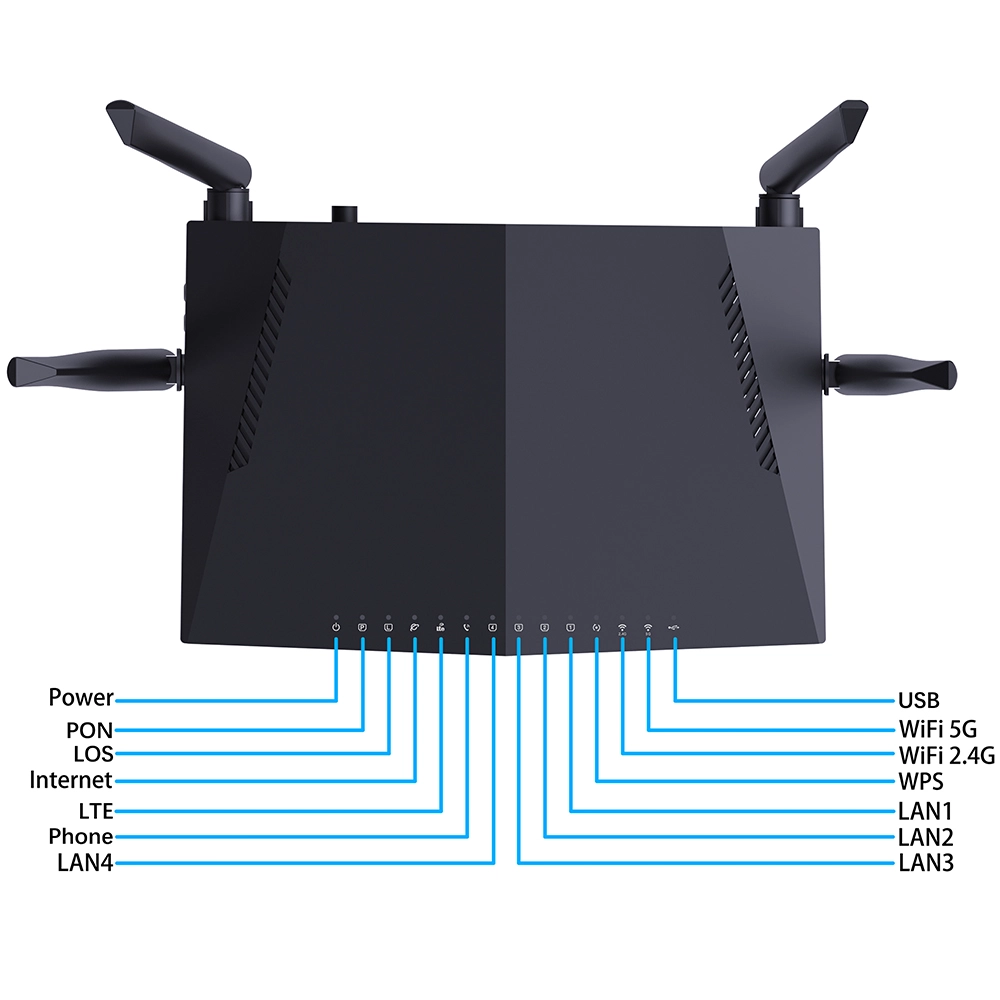
A typical wireless router contains several core components. Central Processing Unit (CPU) is the brain, responsible for computation and coordination. Random Access Memory (RAM) is used for temporarily storing routing table and data will be processed. Read-Only Memory (ROM) or Flash memory stores the firmware (the router’s operating system). Wireless module includes radio frequency chip and antenna, responsible for signal generation, transmission and reception. Additionally, there is a switching chip for wired connections, several LAN ports, one WAN port and a power module ensure stable operation. The performance of these hardware components collectively determines the router’s data process capability, supported device count and signal coverage strength.
4.Analysis of Key Performance Metrics
Several key metrics are crucial when select or evaluate a router. Wireless speed, often labeled in Mbps (e.g. “1200 Mbps”), is typically theoretical combined speed of dual bands (2.4GHz and 5GHz), actual speed is greatly affected by environment, distance and interference. The processor frequency and memory size directly impact smoothness when multiple devices connect simultaneously. Signal coverage capability relates to transmission power, antenna gain (usually expressed in dBi) and built-in signal amplification technology. LAN port speed, with current mainstream being Gigabit (1000 Mbps), ensures high-speed and bottleneck-free wired transmission within the internal network. Support for the latest wireless LAN standards (e.g. Wi-Fi 6 or even Wifi 7) also implies more advanced performance and features.
5.Evolution of Wireless Technology Standards: From Wi-Fi 4 to Wi-Fi 7
Wireless LAN standards, formulated by the Institute of Electrical and Electronics Engineers (IEEE), form the main line of technological development. The one widely used 4th generation WLAN standard (IEEE 802.11n, often called Wi-Fi 4) primarily operated on 2.4GHz band. The current mainstream standards are the 5th generation (IEEE 802.11ac, Wi-Fi 5) and the 6th generation (IEEE 802.11ax, Wi-Fi 6). Wi-Fi 5 focused on improving performance on 5GHz band, while Wi-Fi 6 introduces technologies like OFDMA and Target Wake Time (TWT) on both bands, significantly improving multi-device concurrent efficiency and reducing power consumption. Upcoming 7th generation (IEEE 802.11be, Wi-Fi 7) further supports multi-link operation (MLO) and wider channels, herald the era of multi-gigabit wireless.
6.Characteristics of 2.4GHz and 5GHz
Most modern wireless routers support dual-band or even tri-band operation. 2.4GHz band has longer wavelengths, penetrates obstacles better and generally offers wider coverage, but it has fewer channels, is prone to interference from other devices operating on the same band (like microwaves and Bluetooth devices), has lower theoretical maximum speeds. 5GHz band offers abundant channels, less interference and higher theoretical transmission speeds. However, its signals penetrate obstacles less effectively and have shorter coverage distances. Routers support band steering can automatically select more suitable band for a device, optimize the connection experience.
7.Antenna Secrets: Considerations for External or Internal
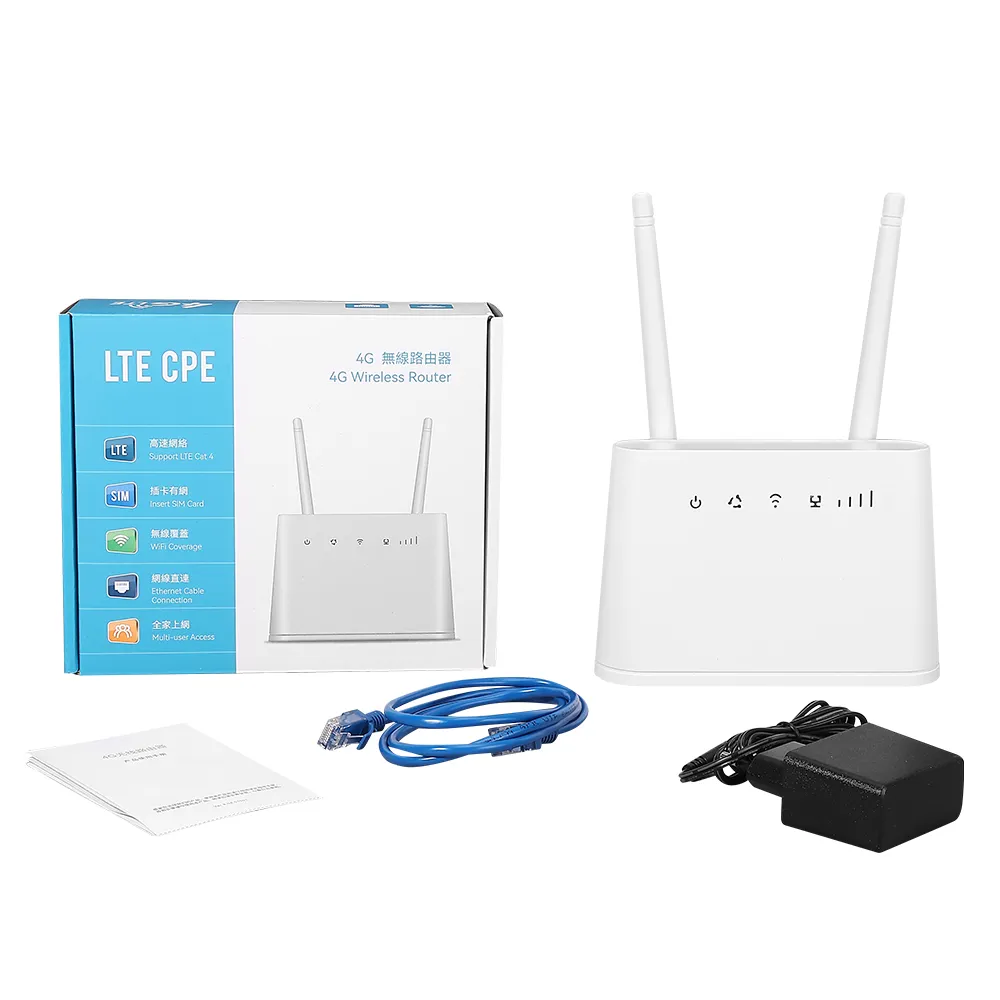
Antenna acts as baton for radiating wireless signals. External antennas typically have higher gain, and their signal directionality can be optimized by adjusting their angle. Internal antennas give product cleaner appearance, relying on multi-antenna arrays and smart algorithms for signal coverage. The number of antennas does not strictly equal signal strength, it is also related to Multiple-Input Multiple-Output (MIMO) technology. Multiple antennas can simultaneously send and receive data with devices, multiplying wireless speed and stability, which is especially crucial in high-end 4g lte cpe router with sim card slot or 5g cellular routers.
8.How to Choose Right Router for You
Select a router requires considering your specific needs. For users in small apartments with few devices, a mainstream dual-band Gigabit port router is enough. For larger living spaces with many walls, consider products supporting Mesh networking or a high-performance single unit. Users with many smart home devices who frequently engage in 4K ultra-high-definition streaming or online gaming should prioritize models supporting Wi-Fi 6 standard, with higher-end processor and memory configurations. Also, ensure the router’s WAN port speed matches or exceeds your subscribed broadband plan speed to avoid creating a bottleneck.
9.Installation and Basic Configuration Guide
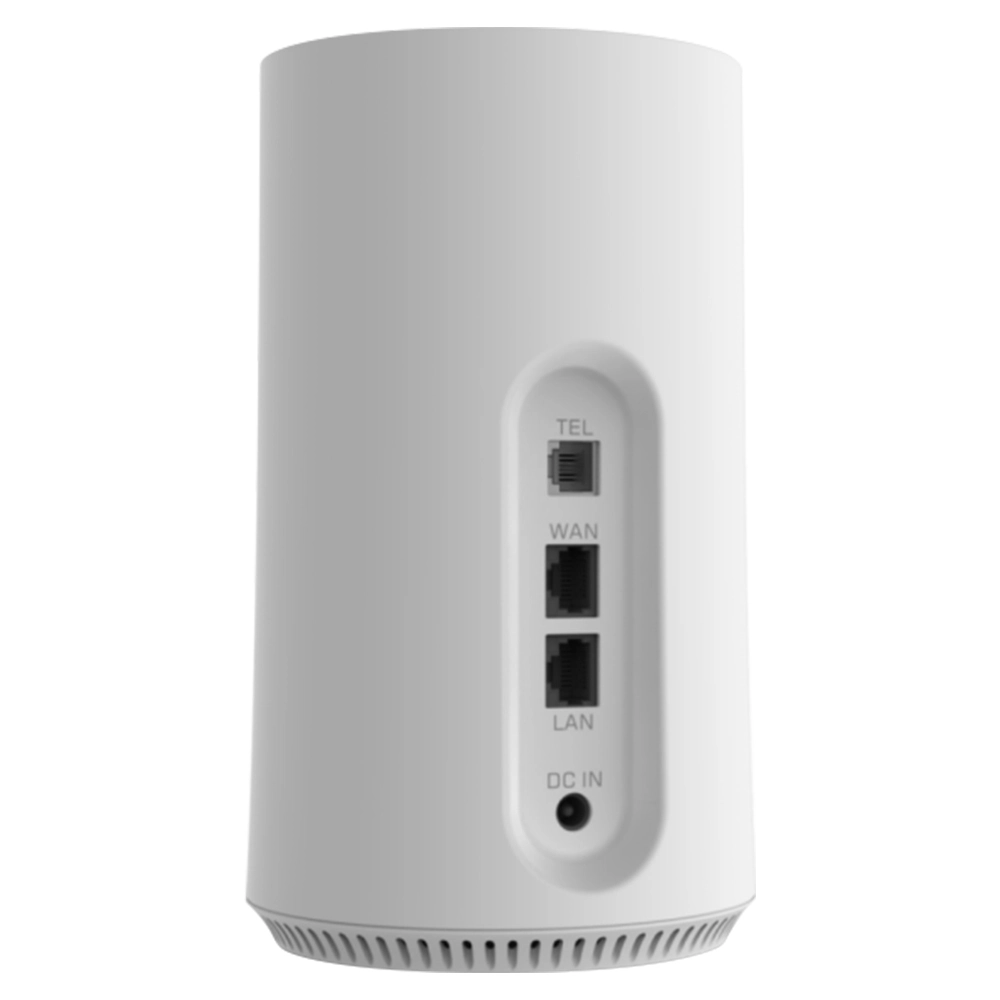
Install a router is usually straightforward, connect Ethernet cable from the optical modem’s LAN port to the router’s WAN port, and plug in the power. Then connect a computer or phone to the router’s default wireless network, open web browser to enter management address (e.g. 192.168.1.1) to access configuration page. The initial setup will guide you through to select the internet connection type (usually automatic IP or PPPoE), set the wireless network name (SSID) and password, change the administrator password. It is recommended to set a strong wireless password contain letters, numbers and symbols.
10.Network Security Protection is Crucial
As network gateway, the router’s security settings are paramount. Besides setting a strong administrator password, you should also update the router’s firmware promptly to patch security vulnerabilities. In wireless settings, choose a more secure encryption protocol such as WPA3 (Wi-Fi Protected Access 3), or at least WPA2. You can disable SSID broadcast to “hide” your network, but this is not absolutely secure. Enable firewall feature and periodically check the list of connected devices, remove any unknown ones. For advanced users, set up a guest network can isolate guest devices from your main network.
11.Advanced Functions and Application Scenarios
Modern routers integrate many practical features. Quality of Service (QoS) allows you to assign higher network priority to applications like online meetings or gaming, ensure critical tasks run smoothly. Parental controls can manage specific devices’ internet access times and content. File sharing via a USB port allows to connect a portable hard drive for simple home cloud storage. Routers support Mesh networking can use multiple nodes to create whole-home seamless roaming, eliminate signal dead zones in large homes. Some routers also feature VPN server function, facilitate secure access to your home network from outside.
12.Common Problems and Troubleshooting Ideas
When experiencing network instability, try to restart your router and optical modem. Check if Ethernet cables are plugged in securely and not damaged. Log into the router’s management interface and check if the WAN connection status is normal. Try to change the wireless channel to avoid crowded channels and reduce interference. Place the router in central location of your home, away from microwaves, load-bearing walls and metal objects. Ensure your device’s wireless drivers are up to date. If problems persist, try to reset the router to factory default and reconfigure it.
13.Differences and Relationships with Related Devices
Wireless routers are often confused with devices like optical modems, switches and access points. An optical modem converts fiber optic signals to Ethernet signals and is the necessary device for accessing internet, but its wireless capabilities and device handling capacity are usually weak. A switch is primarily for expanding the number of wired network ports and lacks routing functions. An Access Point (AP) only provide wireless signal coverage and need to connect to an existing router network. A wireless router is a composite device integrate routing, switching and access point functions and is the most common form in home networks.
14.Firmware: The Operating System Soul of the Router
Router’s firmware acts as its operating system, determine its functionality, performance and stability. Manufacturers regularly release firmware updates to fix vulnerabilities, enhance performance or add new features. Users can check and upgrade via management backend. For tech enthusiasts, third-party open-source firmware (like OpenWrt) exists, offer more powerful customization options and advanced features. However, flash such firmware carries risks and may void the warranty or even “brick” the device.
15.Differences Between Enterprise-Grade and Home-Grade Routers
Enterprise-grade routers far surpass home products in hardware performance, device capacity, stability, security features and manageability. They support more VLANs, more granular bandwidth control, more powerful firewalls and VPNs, and can uniformly configure hundreds or thousands of devices via centralized management platform. Home routers, conversely, focus more on ease of use, aesthetics and cost-effectiveness, with features primarily aimed at home entertainment and daily internet browsing.
16.Outlook on Future Development Trends
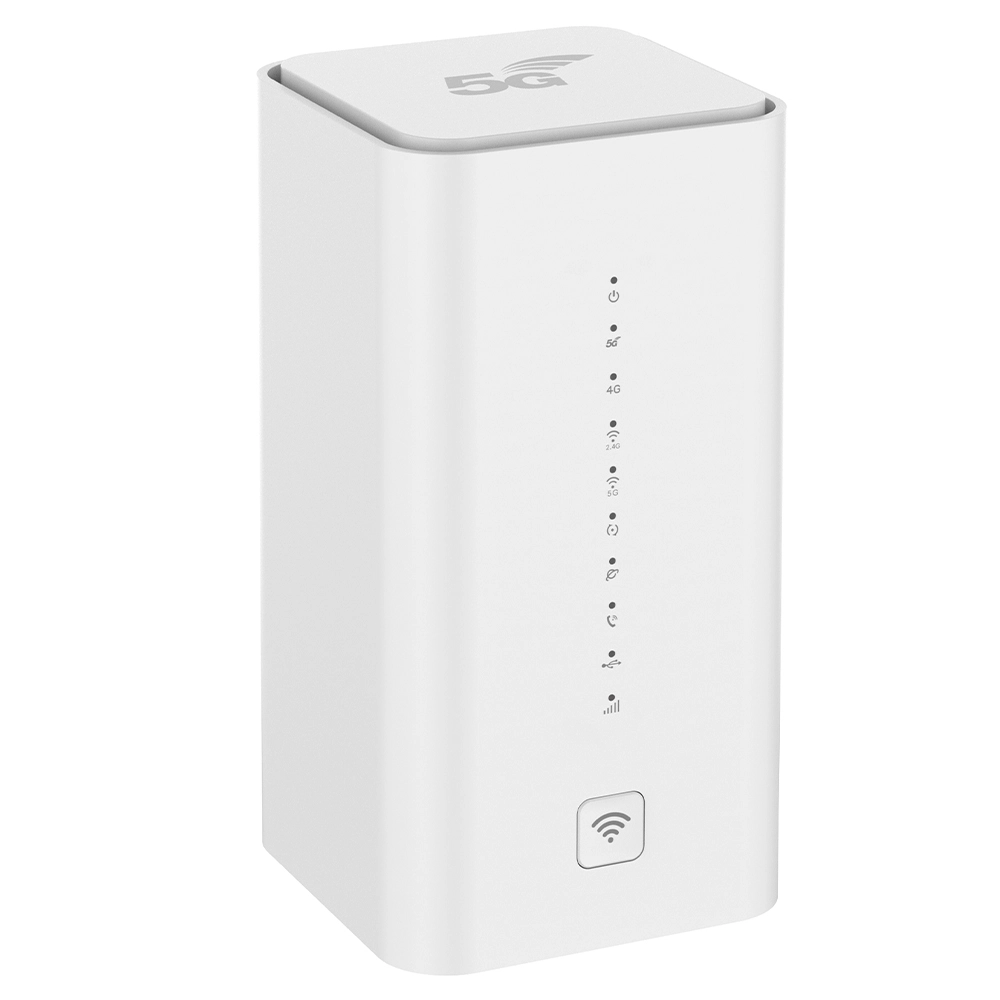
With development of applications like the Internet of Things (IoT), 8K video, Augmented Reality (AR) and Virtual Reality (VR), the demands on home networks regarding bandwidth, latency and connection density will continue to rise. The popularization of Wi-Fi 7 standard will bring revolutionary speed improvements. Artificial Intelligence (AI) will be more deeply applied to network management, enable functions like self-healing faults, intelligent channel optimization and automatic intrusion prevention. Integration with 5G mobile communication technology may also give rise to new hybrid networking models. The router will evolve further from simple connection device into intelligent network and control center of the smart home.
17.Maintenance and Service Life
Routers need well-ventilated environment to avoid long-term high-temperature operation. Periodically clean the management backend by removing unused device bindings. Pay attention to manufacturer security advisories and update firmware promptly. The typical service life of a router is three to five years. As technology standards evolving and your needs upgrade, replace the router with newer model at the right time will bring a better network experience.
18.The Bearer of Connected Value
In summary, a wireless router is far more than a simple signal transmitter. It is a complex device integrate network communication, data exchange, security protection and intelligent management—a cornerstone and bridge connect us to the digital world. Understand its working principles, master its configuration and optimization methods will allows us not only to enjoy smoother online life but also to build a security line for our home digital assets. In the era of ubiquitous connectivity, choose the right “network gatekeeper” is the first step in securing your smart life.


What can we do for you?