
In many remote construction sites, farms, or outdoor event venues, stable wired internet is often out of reach. In these scenarios, an outdoor router sim system becomes the premier choice for establishing high-speed connectivity. However, the outdoor environment is unforgiving. From physical installation to frequency band optimization, every detail determines the final quality of your connection. This guide will assist you in completing a standardized deployment process.
Phase 1: Hardware Preparation and Weatherproofing
Unlike indoor units, an outdoor router sim card device must endure rain, UV exposure, and extreme temperature fluctuations. Before mounting, complete these essential preparations:
- Seal Integrity Check: When opening the SIM card slot cover, ensure the waterproof rubber gasket is intact and free of debris. After inserting the SIM card, the cover screws must be tightened securely—this is your primary defense against moisture ingress.
- Industrial-Grade SIM Selection: If your equipment is deployed in regions with extreme heat or cold, consider using an industrial-grade SIM card. These are more resilient than standard plastic cards and prevent read failures caused by heat deformation.
- Antenna Securing: Install high-gain 5G/LTE antennas vertically. In high-wind areas, use cable ties or reinforced brackets to secure the antenna base, preventing physical interference caused by vibration.
Phase 2: Selecting the Optimal Installation Site
The location you choose directly impacts the throughput of your outdoor router sim.
- Elevation Advantage: Mount the router at the highest point of the structure, avoiding dense foliage, metal buildings, or large power transformers which can cause signal shadowing.
- Directional Alignment: If using directional antennas, log into the Web UI to monitor RSSI (Signal Strength) and SINR (Signal-to-Interference-plus-Noise Ratio). Rotate the device slowly until the values reach their most stable peak.
- Grounding and Lightning Protection: Outdoor installations must account for lightning. Ensure the device’s grounding wire is correctly bonded to the building’s grounding system to protect internal circuitry from induced surges.
Phase 3: Software Optimization and Connectivity Tuning
Once the hardware is fixed, fine-tune the settings via the Web UI to ensure the outdoor router sim card delivers maximum bandwidth.
- Band Locking: Carriers often operate on multiple frequency bands. If default speeds are unsatisfactory, navigate to “Cellular Settings” to manually lock the device onto a faster, less congested 4G/5G band.
- Data Usage Alerts: For users on metered plans, set a data threshold in the backend. The device can trigger an alert once it reaches 90% of the monthly limit, preventing unexpected overage charges.
- Remote Maintenance: Since outdoor units are often mounted in hard-to-reach places, enable TR069 or cloud management. This allows you to perform reboots, firmware updates, and troubleshooting from the comfort of an indoor office.
To ensure optimal performance across different environments, refer to the following configuration recommendations:
| Deployment Scenario | Recommended Antenna Setup | Key Optimization Parameter |
| Construction Sites | Multi-directional Omnidirectional | Enable Watchdog to handle power fluctuations |
| Remote Farm Monitoring | High-gain Directional | Lock to low-frequency bands (e.g., B20/B28) for penetration |
| Temporary Outdoor Events | Standard Omnidirectional | Set WiFi transmit power to maximum for wider coverage |
| Mobile Trailers/Fleets | Anti-vibration Specialized | Enable automatic roaming and carrier switching |
Phase 4: Long-term Maintenance and Security
After installation, it is vital to periodically review the system logs to identify potential connection fluctuations or external security risks. Consistent maintenance ensures your outdoor network remains resilient for years.
- Scheduled Reboots: Setting a weekly automatic reboot helps clear system cache and maintains smooth data transmission.
- Firmware Audits: Check for firmware updates at least twice a year. This provides access to new features and, more importantly, patches security vulnerabilities to keep your private network secure.
Outdoor Router Installation FAQ
1. Why does the router show “No Service” after the SIM card is inserted?
This usually results from three issues: the SIM card is inserted incorrectly, the local frequency bands are incompatible with the hardware, or the SIM card has an active PIN lock. Remove the PIN using a mobile phone or enter it manually in the router’s dashboard.
2. Can outdoor routers be powered via PoE?
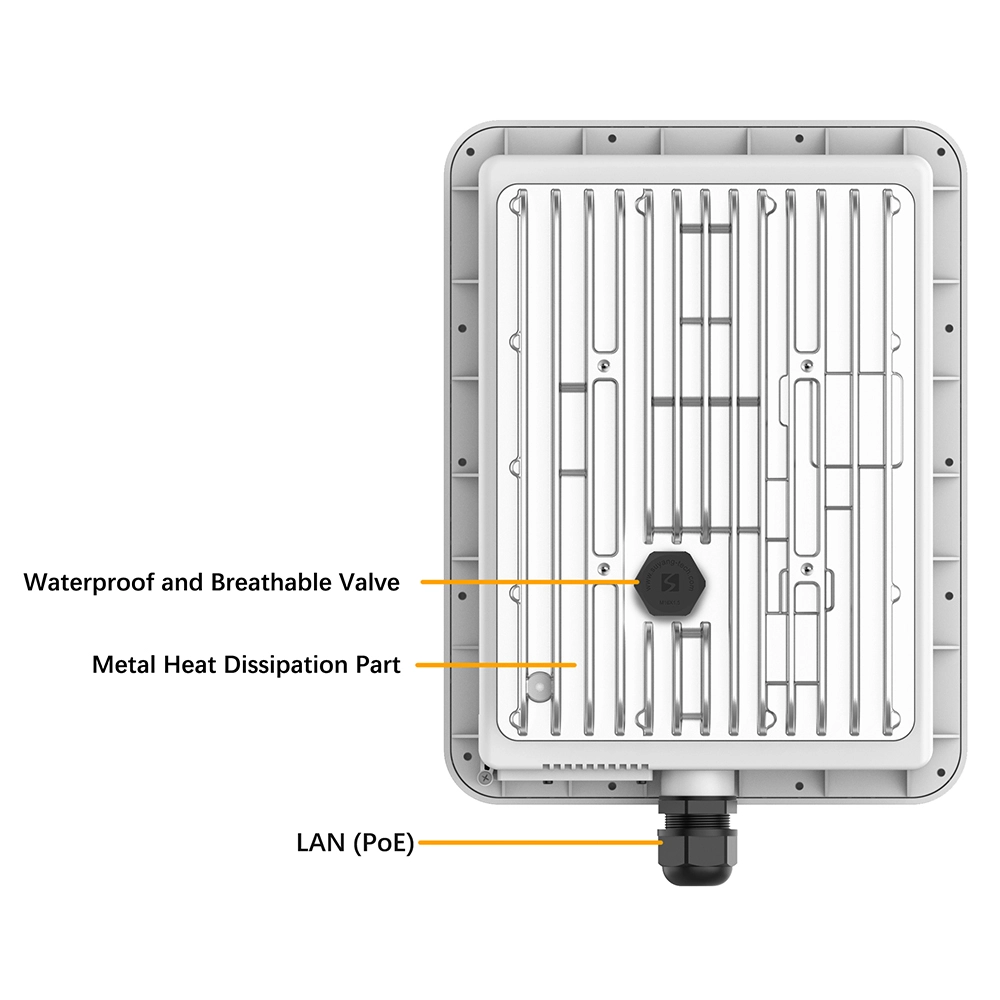
Most professional outdoor router sim devices support PoE (Power over Ethernet). This allows you to transmit both data and power through a single Ethernet cable, significantly simplifying high-altitude installations.
3. Will the device disconnect due to overheating in peak summer?
Our outdoor series features industrial-grade wide-temperature designs, typically operating between -40°C and +70°C. As long as the vents are not obstructed, the internal thermal management system will prevent connection drops.
4. What is the typical WiFi coverage range for an outdoor unit?
In an open environment, a powerful outdoor router can cover a radius of 100-200 meters. For larger areas, it is recommended to daisy-chain multiple Access Points via the LAN port or use a model with Mesh networking capabilities.
5. Does heavy rain affect 5G/LTE speeds?
Extreme rainfall can cause “rain fade,” a slight attenuation of radio waves. However, professional units compensate for this using high-gain antennas to minimize the impact on essential communications.
6. How do I prevent unauthorized data usage on my outdoor system?
Security is paramount for outdoor-mounted gear. Always disable WPS, set a complex WPA3 password, and enable MAC address filtering in the backend to ensure only trusted devices can access your data.


What can we do for you?