
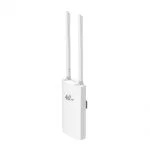
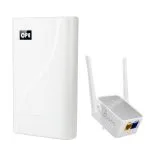
POE 24V/0.5A TR069 Cat 4 waterproof outdoor 4g lte router
| Item no.: | HYQC8300 |
|---|---|
| CPU: | MTK7620A+7612E |
| 4g frequency: | FDD: B1/B3/B7/B8/B20/B28A; WCDMA: B1/B8; GSM: B3/B8 |
| Price: | USD 27.00 - 37.00 |
Product Description
Performance Features and Material
| Advantages | POE 24V/0.5A Power Supply: Enables straightforward power delivery via Ethernet, reducing the need for separate power cables. TR069 Protocol Support: Facilitates remote management and configuration, ideal for large-scale deployments and network management. Cat 4 LTE Connectivity: Provides high-speed mobile broadband with Category 4 LTE capabilities. Waterproof Design: Ensures reliable operation in outdoor environments, even in heavy rain, with a robust waterproof rating. Broadband 4G Frequency Support: Covers a range of FDD and WCDMA bands for extensive network compatibility. Durable Construction: Built with a sturdy design to withstand the rigors of industrial and outdoor settings. |
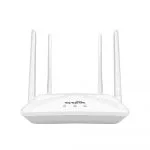
| Product Description | The HYQC8300 is a POE 24V/0.5A TR069 Cat 4 waterproof outdoor 4G LTE router designed for resilience in outdoor and industrial applications. With its POE capability, the HYQC8300 simplifies installations by delivering power and data over a single Ethernet cable. Its TR069 support allows for efficient remote management, and the Cat 4 LTE ensures swift internet connectivity. The router's waterproof design stands up to the elements, making it a trusted choice for outdoor surveillance and industrial networking. Priced between USD 27.00 and 37.00, it offers a cost-effective solution for reliable outdoor connectivity. |
| Guidelines for use |
|
| How to Install |
|
| How to Set Up |
|
| Usage Precautions |
|
Reviews

Emily Foster
December 17,2024
Excellent waterproof performance.
After several heavy rain tests, there were no water ingress issues at all; the waterproof rating is very reliable.

David Lee
December 12,2024
Suitable for industrial scenarios.
Installed in the outdoor area of the factory, it\'s used to cover the network for surveillance equipment, stable and efficient, highly recommended.


What can we do for you?