
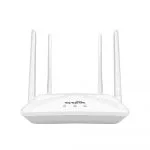
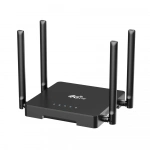
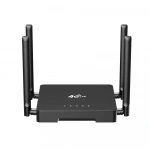
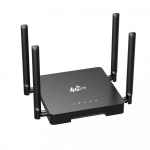
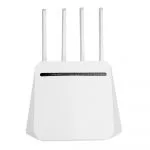
Cat 4 openWRT 2.4G wifi 4g lte cpe router with sim card slot
| Item no.: | HY81200K |
|---|---|
| CPU: | MTK7620A+7612E |
| 4g frequency: | FDD: B1/B2/B3/B4/B5/B7/B8/B28; TDD: B40; WCDMA: B1/B2/B5/B8; GSM: B2/B3/B5/B8; |
| Price: | USD 30.00 - 35.00 |
Product Description
Performance Features and Material
| Advantages | Cat 4 LTE Speeds: Capable of achieving Category 4 LTE speeds for fast mobile internet connectivity. 2.4G WiFi: Offers 2.4GHz WiFi band for reliable wireless connections, suitable for various devices. OpenWRT Support: Compatible with OpenWRT, allowing for advanced configurations and customization. SIM Card Slot: Features a SIM card slot for easy switching between carriers and network plans. Adjustable WiFi Signal: The signal strength can be tailored to user needs, enhancing flexibility and power efficiency. Technical Support: Backed by professional technical customer support for configuration and troubleshooting. |
| Product Description | The HY81200K is a Cat 4 4G LTE CPE router that offers a seamless internet experience with its 2.4G WiFi capabilities. Designed for OpenWRT, it provides a platform for advanced users to customize their network settings. The adjustable WiFi signal strength allows for flexible coverage, conserving power when needed. With a SIM card slot, it offers easy network switching, and the professional customer service ensures hassle-free setup and operation. Ideal for multiple users and various environments, the HY81200K is a practical choice for reliable and flexible internet connectivity. |
| Guidelines for use |
|
| How to Install |
|
| How to Set Up |
|
| Usage Precautions |
|
Reviews

Lisa Adams
December 21,2024
Suitable for multiple people to share the network.
With five people in the family using it at the same time, the internet speed remains smooth, truly a very practical choice.

Nicholas Parker
December 17,2024
WiFi signal strength is adjustable.
The signal strength can be adjusted according to needs, making the coverage range more flexible and saving power.

Margaret Harris
December 12,2024
Technical customer support is in place.
When encountering configuration issues, the customer service was very professional and patiently resolved the problems, giving them full marks for service!


What can we do for you?