
- Why a Quality 5G Pocket Router Is Essential
- Understanding 5G Pocket Router Characteristics
- Top 5 5G Pocket Routers in 2025
- Key Settings and Configuration Tips
- Installing and Wiring a 5G Pocket Router: Step-by-Step
- Common Problems and How to Solve Them
- Real-World Applications
- What’s New in 2025?
- Conclusion
- Frequently Asked Questions
In an era defined by mobility and instant connectivity, the demand for reliable, high-speed internet access anywhere, at any time, has never been greater. For business professionals, digital nomads, and remote workers, a dropped connection or sluggish speeds can mean missed opportunities and disrupted workflows. This is where the 5G pocket router emerges as an indispensable tool, transforming powerful 5G cellular signals into a personal, portable WiFi network. This article provides a comprehensive comparison of the leading 5G pocket routers, dissecting their features, performance, and ideal use cases to guide you toward the perfect choice for your mobile connectivity needs.
The evolution of 5G technology has enabled these compact devices to deliver broadband-like speeds to a multitude of devices simultaneously. As 5G infrastructure continues its global expansion, the capabilities of these routers are advancing rapidly, incorporating smarter features, enhanced security protocols, and longer-lasting batteries. Selecting a high-quality 5G pocket router is no longer a luxury but a critical decision for anyone whose productivity and communication depend on a stable and fast internet connection, ensuring you remain connected to your work, your team, and your content, irrespective of your location.
Why a Quality 5G Pocket Router Is Essential
A high-quality 5G pocket router is far more than a simple convenience; it is a fundamental component of a modern, mobile digital lifestyle. The risks associated with using a subpar device are significant, ranging from frustratingly slow speeds and unstable connections that hamper video conferencing and large file transfers to potential security vulnerabilities that could expose sensitive data. A premium router mitigates these risks by providing robust performance, even in areas with weaker signals, thanks to advanced modem technology and support for external antennas. Furthermore, it acts as a crucial protector of your digital footprint, incorporating enterprise-grade security features like WPA3 encryption, built-in firewalls, and VPN client support to safeguard your online activities on public networks. The core value proposition lies in its ability to deliver consistent, secure, and high-speed connectivity, which is the lifeblood of remote work and travel, while its intelligent power management ensures you have the battery life needed to power through your day.
Understanding 5G Pocket Router Characteristics
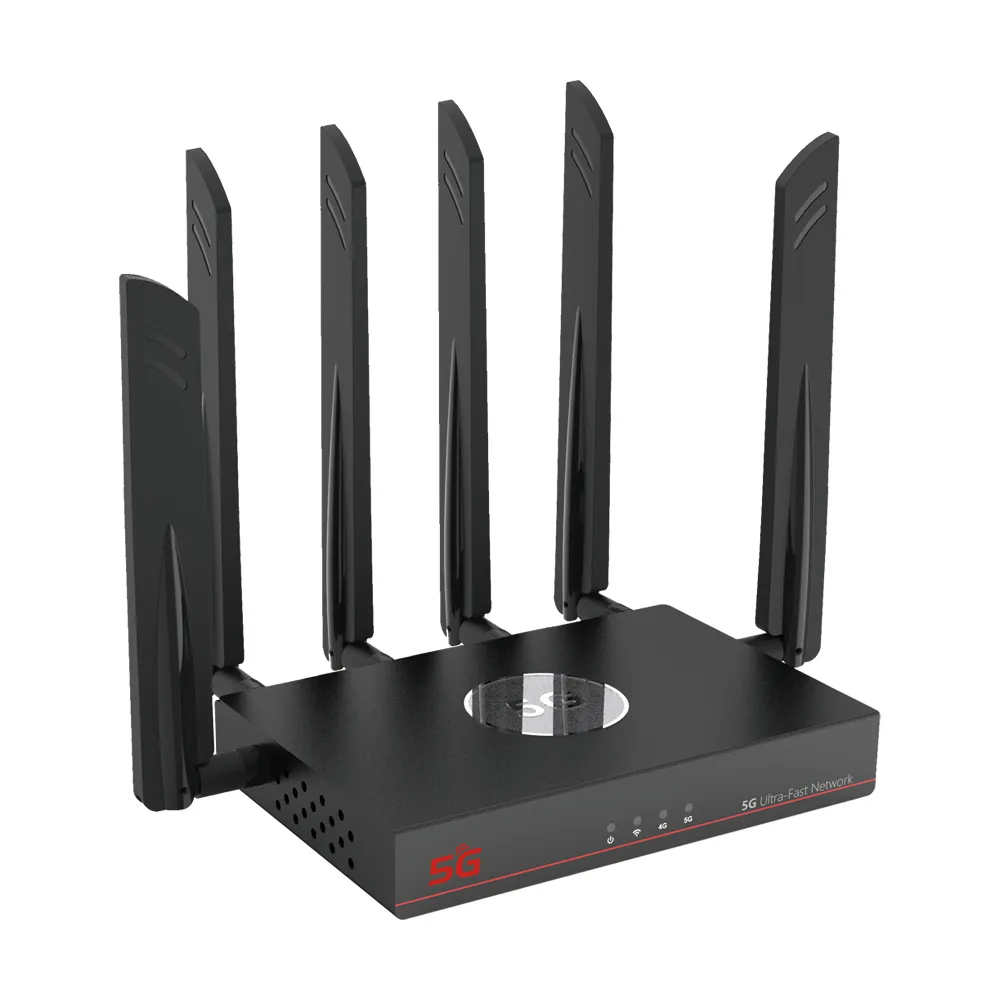
5G pocket routers are defined by their core function of converting 5G and 4G LTE cellular data into a WiFi signal. Their primary strength is leveraging the high bandwidth and low latency of 5G networks, with maximum theoretical download speeds for premium models reaching up to 3.6 Gbps, enabling seamless streaming, rapid downloads, and lag-free online collaboration. A key characteristic is their support for both SA (Standalone) and NSA (Non-Standalone) 5G modes, ensuring broad compatibility with different carrier network architectures worldwide. However, their performance is inherently tied to cellular signal strength, making advanced modem chipsets and antenna design critical for maintaining a stable connection. These devices must also expertly manage power consumption from their internal batteries, balancing performance with longevity, which is why battery capacities are a major differentiator, ranging from approximately 4,000mAh to 10,000mAh. Support for modern WiFi standards, particularly WiFi 6 (802.11ax), is another essential characteristic, as it provides improved efficiency, better performance in device-congested environments, and enhanced battery life for all connected gadgets.
Top 5 5G Pocket Routers in 2025
The following table provides a clear comparison of the leading 5G pocket routers based on their key specifications and notable features.
| Brand | 5G Support & Speed | WiFi Standard | Battery Capacity & Life | Key Features & Notable Use Case |
| Junhaoyue | NSA/SA 5G modes | WiFi 6 | 4400mAh, provides reasonable usage time | Touch panel interface, over a decade of manufacturing experience, comprehensive quality testing. Ideal for users seeking a reliable mid-range router for typical mobile work scenarios. |
| ZTE U60 Pro | 5G-A (Advanced), flagship Qualcomm Snapdragon X75 chipset | WiFi 7 | 10,000mAh, up to 29 hours of use; functions as a power bank | AI intelligent scene acceleration for gaming/streaming/conferencing. The premium solution for users requiring maximum performance and battery life. |
| Netgear Nighthawk M6 Pro | Combined speeds up to 3.6 Gbps | WiFi 6E (includes 6 GHz band) | Information not specified in sources | 2.5Gbps Ethernet port, supports 32 devices, global roaming support. Enterprise-grade performance for professionals and international travelers. |
| GlocalMe Numen Air | 5G speeds up to 2.5 Gbps | Information not specified in sources | 5,400mAh, up to 11 hours of 5G usage | Supports 390+ countries, 2.4-inch LCD touchscreen, ultra-slim design (1.43 cm). The definitive choice for frequent international travelers. |
| Suncomm MFX62 | Information not specified in sources | WiFi 6 | Information not specified in sources | 2.4-inch touchscreen interface. A high-performance option among Chinese-manufactured portable hotspots for business users. |
Key Settings and Configuration Tips
Properly configuring your 5G pocket router is crucial for optimizing its performance and security. The most critical parameter to set is the network mode; you should prioritize 5G SA/NSA for the best possible speed and latency, but configure the device to automatically fall back to 4G LTE in areas with poor 5G coverage to maintain connectivity. The WiFi settings are equally important: ensure you are using the latest security protocol, WPA3, and create a strong, unique password for your network. If your router supports dual-band WiFi, you can typically configure both 2.4 GHz (for better range) and 5 GHz (for higher speed) networks, allowing you to connect devices based on their needs. For models with advanced features, explore the companion mobile app or web interface to set data usage alerts, manage connected device priorities, and configure VPN clients for enhanced privacy. It is paramount to follow the specific manufacturer’s guidelines for initial setup, which often includes updating the device firmware to the latest version to access new features and critical security patches.
Installing and Wiring a 5G Pocket Router: Step-by-Step
The installation process for a 5G pocket router is designed for simplicity and user-friendliness. Begin by inserting a valid SIM card from your mobile carrier into the designated slot on the device, ensuring it is properly seated according to the manufacturer’s diagram. Next, power on the router by pressing and holding the power button until the display activates. Allow the device a few moments to establish a connection with the cellular network, which will be indicated by signal strength bars on the screen. On your smartphone, laptop, or tablet, navigate to the WiFi settings, select your router’s network name (SSID) which is typically found on a label on the device or the display, and enter the preset password. For scenarios requiring maximum stability, such as a fixed remote office, some advanced routers feature an Ethernet port that allows you to connect the router directly to a computer or a larger network switch using a standard LAN cable. A critical final step involves accessing the router’s admin interface via a web browser or dedicated app to change the default login credentials and customize the network settings to your preference.
When installing your router, always prioritize safety to prevent damage to the device or personal injury. Never use a damaged charging cable or power adapter to charge the router’s battery, as this could pose a fire or electrical hazard. Avoid exposing the router to extreme temperatures, direct sunlight for prolonged periods, or any sources of moisture and humidity, as these conditions can permanently damage the internal electronics and battery. Ensure the device is placed on a stable, flat surface with adequate ventilation during operation, especially while charging, to prevent overheating. When traveling, use a protective case to shield the router from physical shocks and scratches, preserving its functionality and appearance over the long term.
Common Problems and How to Solve Them
Even with high-quality equipment, users may occasionally encounter issues that disrupt their connectivity. A common problem is the device failing to connect to the 5G network. The first troubleshooting step for this issue is to verify that your SIM card is active, has sufficient credit or data, and is properly inserted. Then, check the network settings within the router’s interface to ensure it is configured to connect to 5G networks and not restricted to 4G only. Another frequent challenge is unexpectedly short battery life. To address this, investigate the connected device list in the admin panel to ensure no unauthorized devices are draining your bandwidth and power, and consider reducing the screen brightness or timeout settings on the router itself to conserve energy. If you experience slow internet speeds despite a strong 5G signal, try rebooting the router, as this can clear temporary software glitches, and also check if certain connected devices are consuming large amounts of bandwidth through background updates or streaming, which can be managed through device prioritization features if available.
Real-World Applications
The utility of 5G pocket routers extends across numerous professional and personal scenarios, providing tailored benefits in each. In the context of Solar Energy and Remote Monitoring, these routers offer a reliable backhaul connection for off-grid solar installations, allowing for real-time data transmission on power generation, battery levels, and system health to a central monitoring platform, enabling proactive maintenance and efficient energy management without reliance on fixed-line internet. For Electric Vehicles and Smart Mobility, a 5G pocket router can transform a vehicle into a mobile WiFi hotspot, providing high-speed internet for passengers and enabling constant connectivity for the vehicle’s own telematics systems, facilitating over-the-air updates, remote diagnostics, and access to real-time navigation and entertainment services. In Marine and Recreational Applications, boat owners and RV enthusiasts can use these devices to stay connected while on the move, supporting everything from navigation charts and weather updates to providing entertainment for passengers and enabling remote work from virtually any location, thus blending adventure with productivity.
What’s New in 2025?
The year 2025 is witnessing several exciting trends in the 5G pocket router market, pushing the boundaries of speed, intelligence, and integration. The most significant advancement is the rollout of devices supporting 5G-Advanced (5G-A) and the nascent WiFi 7 standard, as exemplified by the ZTE U60 Pro, which promises unprecedented data rates and reduced latency for next-generation applications. Artificial Intelligence is becoming a key differentiator, with companies like ZTE incorporating AI-powered scene acceleration that intelligently optimizes bandwidth allocation for specific activities like video conferencing, gaming, and 4K streaming. Furthermore, the integration of these routers into broader Internet of Things (IoT) ecosystems is accelerating, allowing them to act as central connectivity hubs for a wide array of smart devices in temporary or mobile settings, from pop-up retail stores to construction sites. We anticipate that future developments will focus on even more sophisticated power management for extended off-grid operation and enhanced seamless roaming capabilities that automatically connect to the best available network without user intervention.
Conclusion
Selecting the right 5G pocket router is a critical decision that directly impacts your productivity, security, and connectivity experience while on the move. This comparison has highlighted that the market offers a diverse range of options, from the reliable and well-tested mid-range performance of Junhaoyue to the cutting-edge, feature-rich premium models from brands like ZTE and Netgear. Your final choice should be guided by a careful assessment of your specific needs regarding network performance, battery endurance, portability, and the security features that protect your data. By choosing a reputable brand and ensuring the device’s specifications align with your most common use cases, you are investing in a tool that will provide dependable, high-speed internet access, empowering you to work and explore without boundaries. An informed choice today will deliver connectivity dividends for years to come.
Frequently Asked Questions
What is the primary advantage of a 5G pocket router over a smartphone hotspot?
A 5G pocket router is specifically engineered for sustained high-performance connectivity, often featuring a more powerful modem, support for more simultaneous devices, and a larger battery dedicated solely to providing a network hotspot. This results in a more stable connection, longer usage times, and less drain on your smartphone’s battery, making it a superior solution for professional use or connecting multiple devices for extended periods.
Are there any significant risks to using a 5G pocket router?
The primary risks are associated with using low-quality or uncertified devices, which may have security vulnerabilities, lack proper safety certifications for their batteries, or provide unreliable performance. By selecting a router from an established manufacturer like Junhaoyue, ZTE, or Netgear, you mitigate these risks, as their products undergo comprehensive testing and include advanced security features like WPA3 encryption and firewall protection to keep your data safe.
What is the main drawback of 5G pocket routers?
The most significant limitation is their dependence on cellular network coverage and signal strength. Performance can degrade in rural areas, inside buildings with poor reception, or in regions with congested networks. Additionally, continuous use of 5G can deplete the battery relatively quickly, and the devices themselves represent an upfront cost plus ongoing data subscription fees from a mobile carrier.
How many devices can typically connect to a 5G pocket router simultaneously?
The number of supported simultaneous connections varies by model, ranging from around 10 devices for basic models to 32 or more for high-end routers like the Netgear Nighthawk M6 Pro. It is important to check the specifications of your chosen model, as connecting more devices than the router can handle may result in reduced speed and performance for all users.
Is a 5G pocket router worth the investment for an average user?
For an average user who only occasionally needs internet for a single device, a smartphone hotspot may suffice. However, for anyone who regularly works remotely, travels frequently, or needs to connect multiple devices like a laptop, tablet, and smart accessories simultaneously, a 5G pocket router is a worthwhile investment. It provides a more reliable, secure, and powerful connection than a smartphone hotspot, ultimately enhancing productivity and connectivity.



What can we do for you?