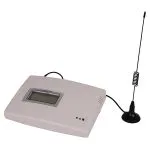
2 RJ-11 ports polarity reverse volte fixed wireless terminal
| Item no.: | A380LCD-4G |
|---|---|
| Module: | Quectel EC200A-AU |
| 4g frequency: | LTE FDD: B1/B2/B3/B4/B5/B7/B8/B28/B66; LTE TDD: B40; WCDMA: B1/B2/B4/B5/B8; GSM: B2/B3/B5/B8 |
| Price: | USD 35.00 - 55.00 |
Product Description
Performance Features and Material
| Advantages | Polarity Reverse Function: Offers compatibility with traditional telephone systems, ensuring seamless integration without compatibility issues. Dual RJ-11 Ports: Supports connections for multiple phones, enhancing versatility for home and small office use. LTE and WCDMA Compatibility: Covers a broad range of frequencies for LTE FDD, LTE TDD, and WCDMA, ensuring wide network coverage and compatibility. Quectel EC200A-AU Module: Utilizes a reliable module known for its high performance in wireless communication. |
| Product Description | The A380LCD-4G is a fixed wireless terminal designed for versatility and compatibility in communication solutions. It features two RJ-11 ports for connecting multiple phones and supports polarity reversal for traditional telephone system compatibility. With a wide range of supported frequencies, it ensures reliable connectivity across various networks. The inclusion of the Quectel EC200A-AU module signifies a commitment to high-performance wireless communication. Priced between USD 35.00 and 55.00, this terminal is an economical choice for enhancing communication capabilities in various settings. |
| Guidelines for use |
|
| How to Install |
|
| How to Set Up |
|
| Usage Precautions |
|
DOWNLOAD
Reviews

Emma Adams
December 17,2024
Polarity reversal function enhances compatibility.
The polarity reversal function ensures compatibility with traditional telephone systems, allowing immediate operation after installation without any compatibility issues.

Thomas Walker
December 12,2024
Versatile, suitable for homes and small offices.
The two RJ-11 interfaces support connections for multiple phones, which is very convenient for home and small office communications, with excellent call quality.


What can we do for you?