
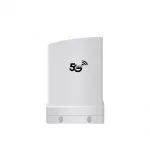
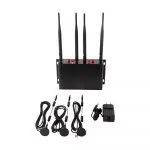
1 WAN 4 LAN dual sim 4G Industrial Router for Industrial Control and Automation
| Item no.: | HY840 |
|---|---|
| CPU: | MTK7628N |
| 4g frequency: | FDD:B1/3/5/7/8/20;TDD:B40;WCDMA:B1/5/8;GSM:900/1800 |
| Price: | USD 52.00 - 62.00 |
Product Description
Performance Features and Material
| Advantages | Dual SIM Capability: Allows for redundancy and flexibility in network selection, ensuring continuous connectivity. 1 WAN and 4 LAN Interfaces: Facilitates connections with multiple devices, ideal for extensive industrial networks. Built-in Watchdog Function: Enhances reliability by preventing device crashes and automating reboots. Robust Metal Casing: Provides excellent heat dissipation and durability for long-term use in harsh environments. User-Friendly Interface: Intuitive installation and configuration, accessible even to non-IT professionals. |
| Product Description | The 1 WAN 4 LAN Dual SIM 4G Industrial Router HY840 is designed for resilience in industrial control and automation. Its dual SIM feature offers network redundancy, while the multiple interfaces accommodate a variety of connections. The built-in watchdog ensures uninterrupted operation, and the metal casing stands up to the toughest conditions. Easy to install and configure, this router is a robust solution for industrial networking needs. |
| Guidelines for use |
|
| How to Install |
|
| How to Set Up |
|
| Usage Precautions |
|
DOWNLOAD
Reviews

Jennifer Lee
December 21,2024
Easy installation and configuration.
Although it is an industrial-grade device, the installation and configuration are very intuitive, allowing quick上手 even without an IT background.

Nathan Hall
December 19,2024
Multiple interfaces meet industrial needs.
Equipped with 1 WAN and 4 LAN interfaces, it can connect multiple devices, making it especially suitable for industrial site use.

Rebecca Clark
December 17,2024
Suitable for unattended devices.
With a built-in watchdog function, there\\\\\\\'s no need to worry about device crashes and reboots; fully automated operation reduces maintenance costs.
Patrick Scott
December 12,2024
Robust industrial design.
The metal casing material provides good heat dissipation and is sturdy and durable, making it suitable for long-term operation in high-temperature and harsh environments.





What can we do for you?