
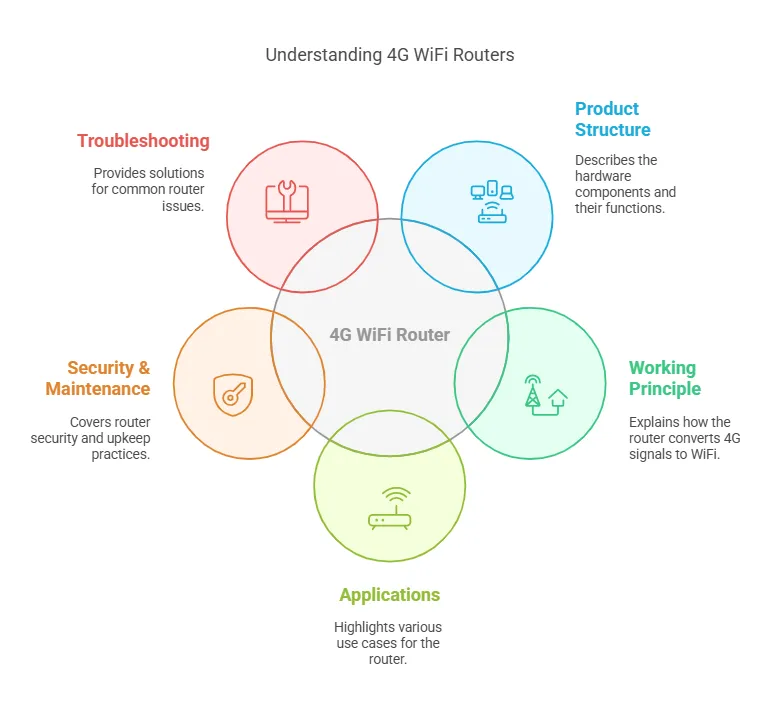
- ما هو راوتر 4G WiFi بفتحة SIM Card وهوائي خارجي؟
- هيكل المنتج وسير العمل
- مبدأ العمل
- التطبيقات وحالات الاستخدام
- بيئة العمل ومتطلبات التثبيت
- أدلة الاستخدام والتكوين
- ما هي إدارة الراوتر؟
- لماذا تعد الإعدادات المتقدمة مهمة؟
- كيفية توصيل أجهزة متعددة؟
- استكشاف الأخطاء الشائعة والأسئلة المتكررة
- لماذا لا يوجد إشارة أو تعرف على SIM Card؟
- كيفية تحسين أداء الراوتر؟
- ماذا تعني أضواء المؤشرات؟
- اختبار المنتج وتقييم الأداء
- كيف تختلف سرعة الشبكة حسب مزود الخدمة؟
- لماذا نستخدم الهوائيات الخارجية؟
- كيف يُقارن هذا الراوتر بالمنافسين؟
- اعتبارات السلامة والجودة
- لماذا يعتبر أمان البيانات أمرًا حاسمًا؟
- هل يفي الراوتر بالمعايير التنظيمية؟
- هل يمكنك تمكين ميزات حماية الأطفال؟
- الصيانة والعناية
- كيف تنظف وتخزن الراوتر الخاص بك؟
- لماذا تعد تحديثات البرامج الثابتة مهمة؟
- ماذا تفعل أثناء عدم النشاط طويل الأمد؟
ما هو راوتر 4G WiFi بفتحة SIM Card وهوائي خارجي؟
-
تعريف أساسي:
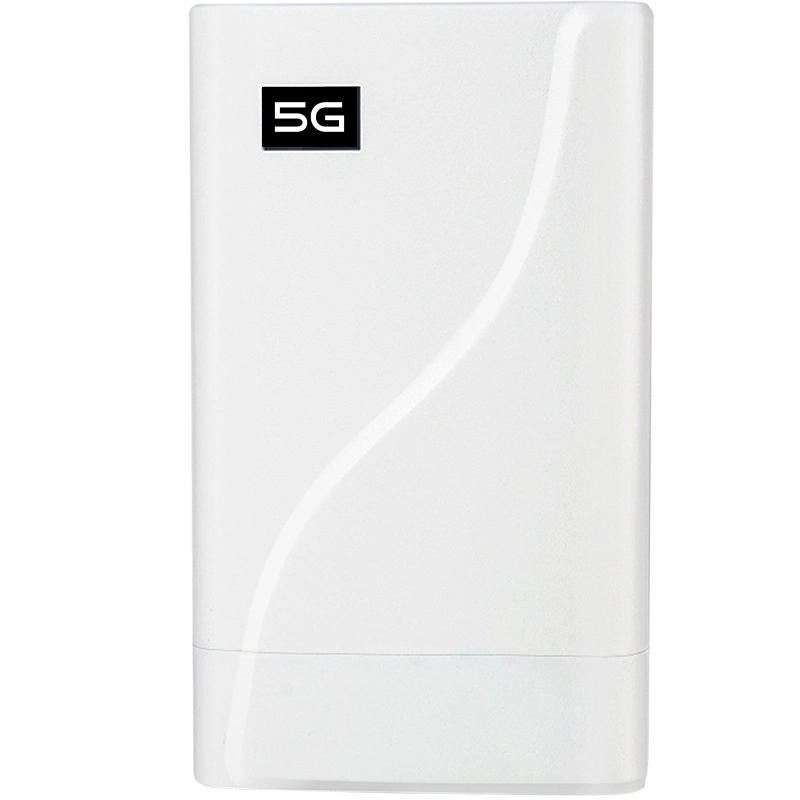
أراوتر 4G WiFiبفتحة SIM Card وهوائي خارجي هو جهاز متعدد الاستخدامات يجمع بين وظائف راوتر WiFi التقليدي ومرونة الاتصال الخلوي. على عكس أجهزة الراوتر المنزلية القياسية التي تعتمد على النطاق العريض الثابت، يستخدم هذا الجهاز SIM Card للوصول إلى شبكات 4G LTE، مما يوفر الوصول إلى الإنترنت في أي مكان بتغطية خلوية. يعزز الهوائي الخارجي قوة الإشارة، مما يجعله مثاليًا للمناطق ذات الاستقبال الضعيف.
لماذا هو فريد:- لا حاجة لنطاق عريض ثابت.
- محمول وقابل للتكيف مع بيئات مختلفة.
- اتصال محسن مع الهوائيات الخارجية.
-
الفوائد الرئيسية:
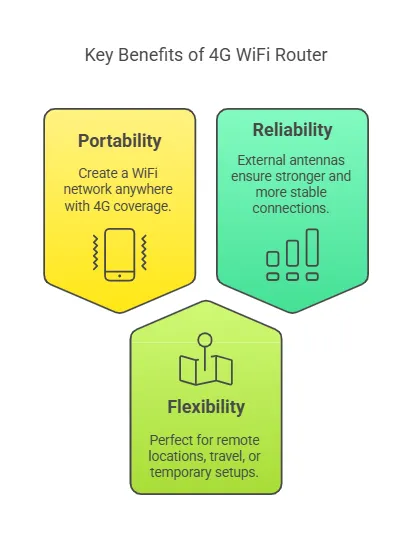
- قابلية النقل: إنشاء شبكة WiFi في أي مكان بتغطية 4G.
- المرونة: مثالي للمواقع النائية، السفر، أو الإعدادات المؤقتة.
- الموثوقية: تضمن الهوائيات الخارجية اتصالات أقوى وأكثر استقرارًا.
هيكل المنتج وسير العمل
-
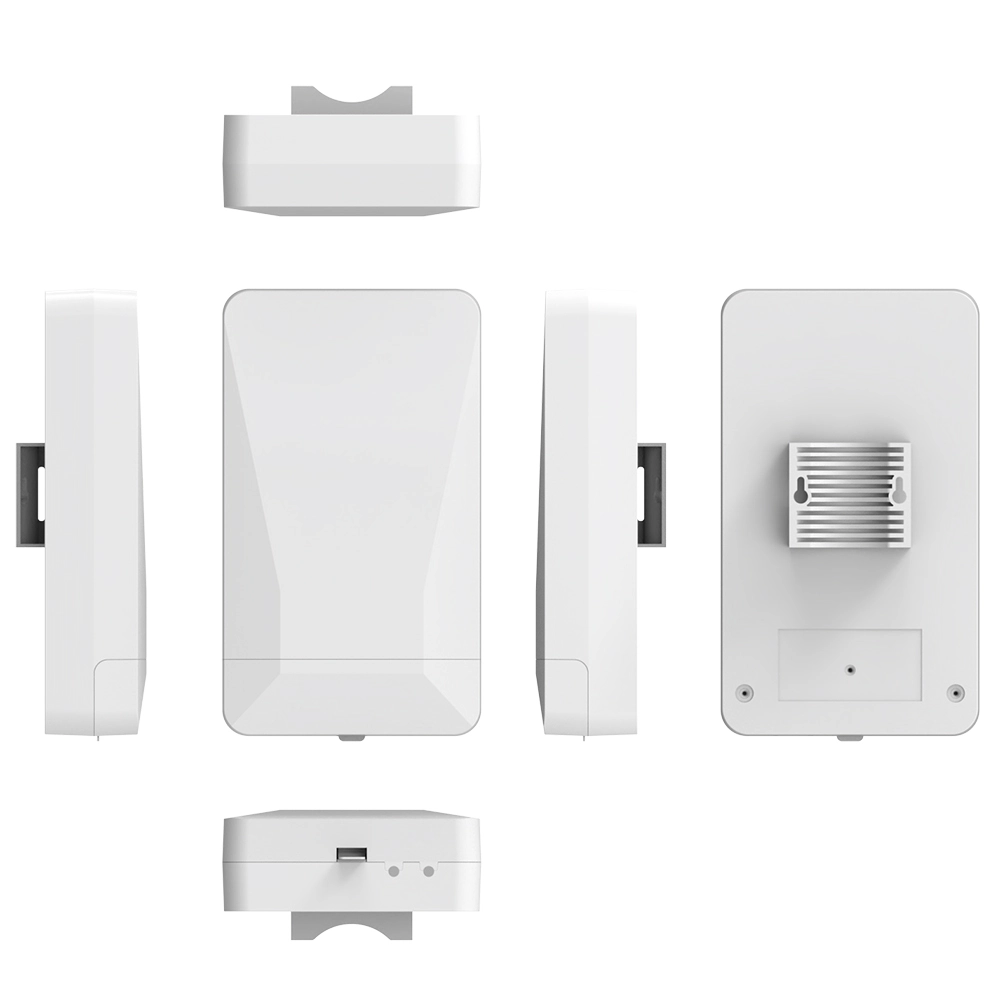
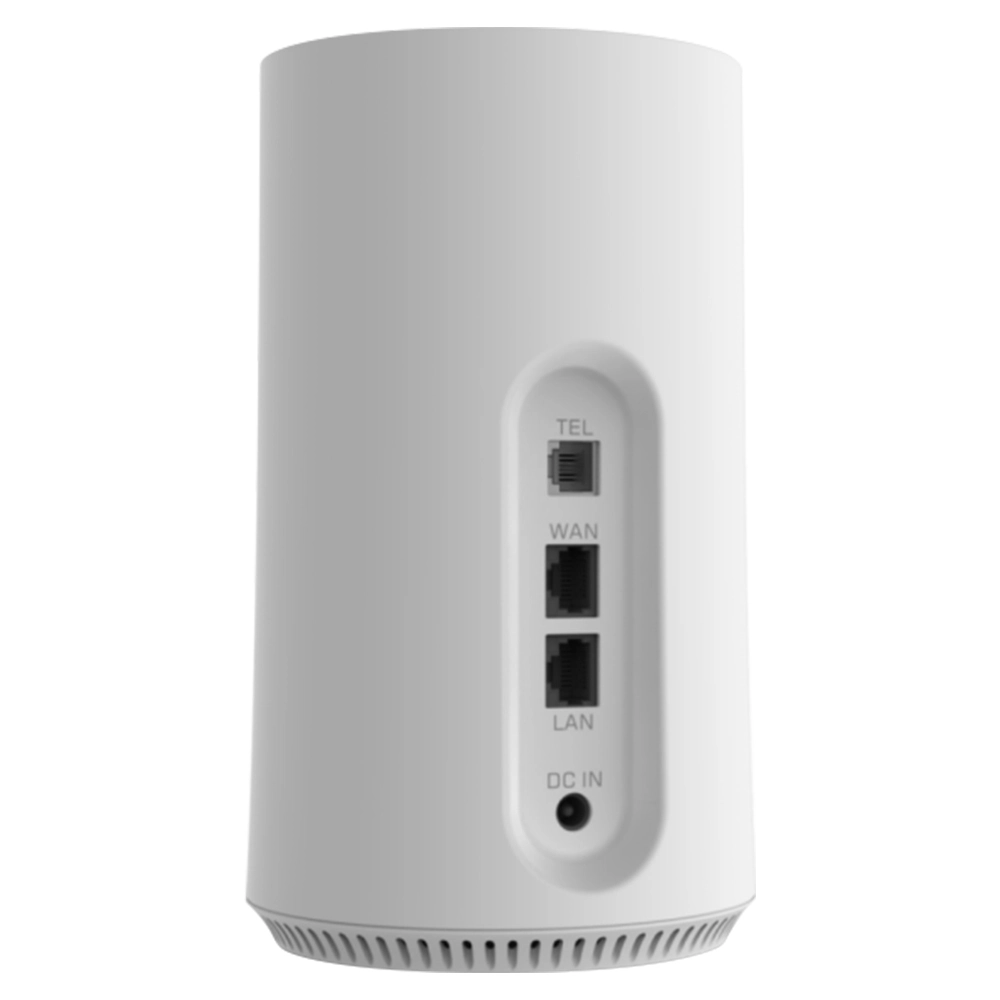
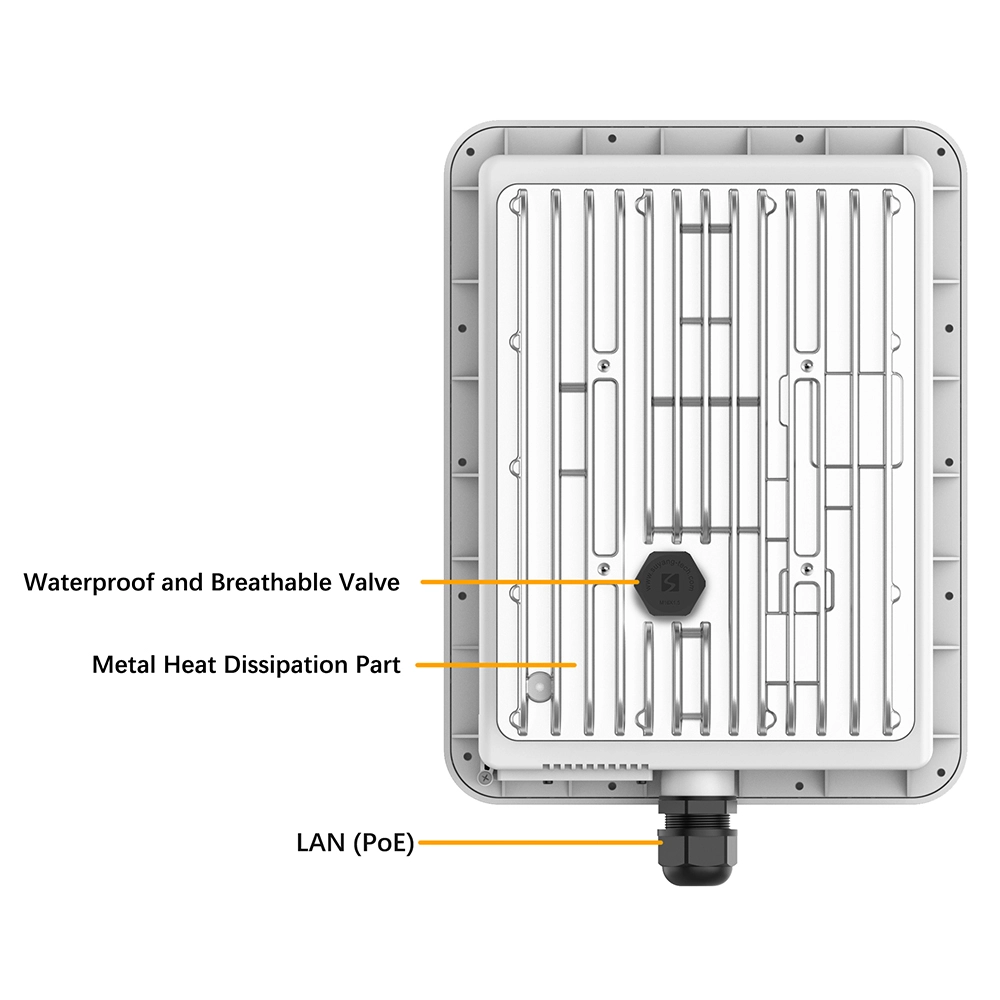
تفصيل المكونات المادية:
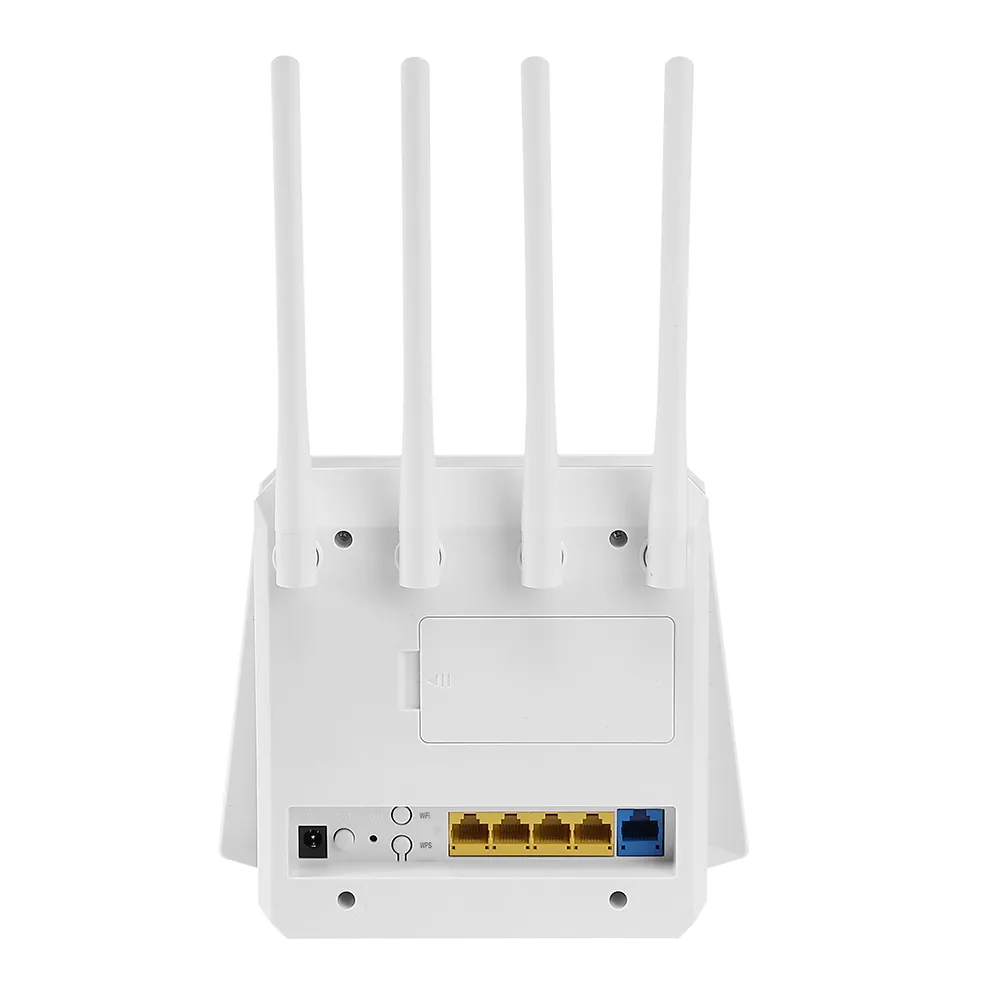
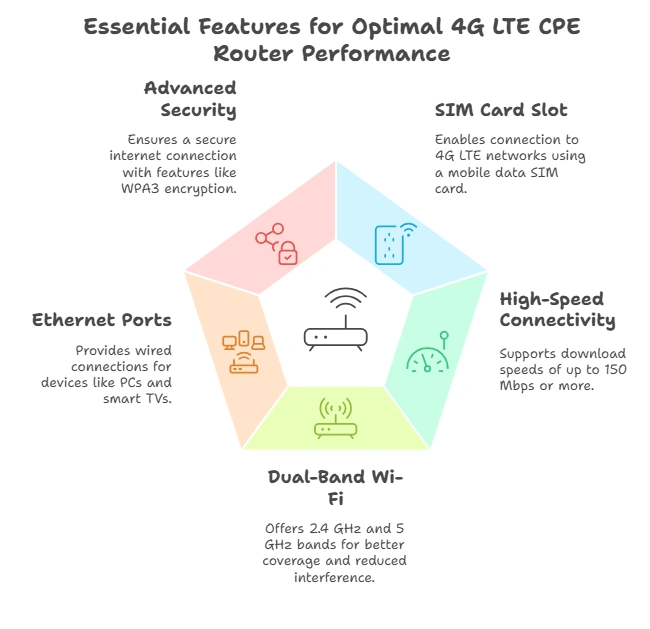
- فتحة بطاقة SIM: يتيح لك إدخال SIM Card لبيانات الهاتف المحمول.
- منافذ الهوائي الخارجي: تمكن الاتصال بهوائيات عالية الكسب لاستقبال إشارة أفضل.
- LAN/WAN Ports: للاتصالات السلكية بالأجهزة مثل أجهزة الكمبيوتر أو أجهزة التلفاز الذكية.
- مؤشرات LED: تُظهر قوة الإشارة، وحالة WiFi، والطاقة.
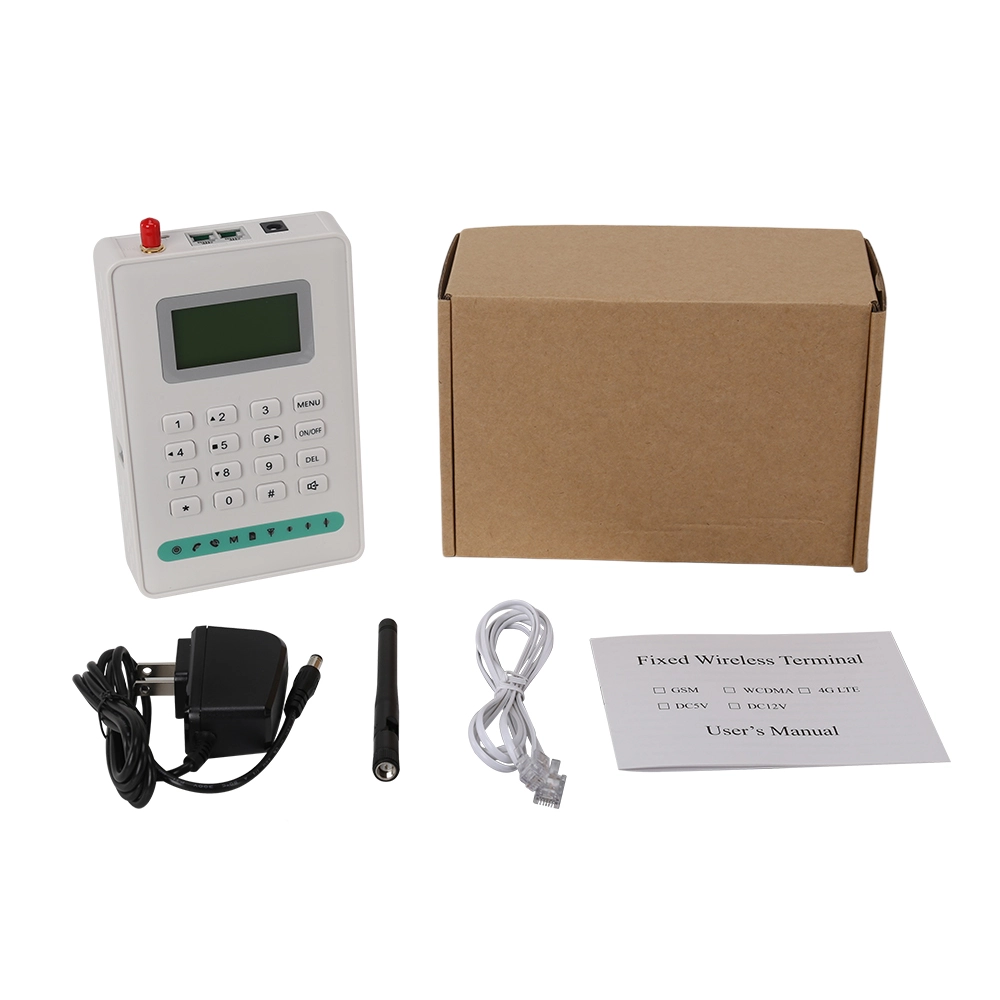
- محول الطاقة: يوفر مصدر الطاقة اللازم للراوتر.
-
شرح تدفق البيانات:
- يستقبل الراوتر إشارة 4G عبر الهوائي الخارجي.
- تقوم SIM Card بمصادقة الاتصال مع الشبكة الخلوية.
- يعالج الراوتر الإشارة ويحولها إلى شبكة WiFi.
- تتصل الأجهزة بشبكة WiFi للوصول إلى الإنترنت.
مبدأ العمل
-
تحويل الإشارة:
يعمل الراوتر كجسر بين شبكة 4G الخلوية وشبكة WiFi المحلية لديك. يقوم بتحويل إشارة 4G عالية السرعة إلى إشارة WiFi يمكن لأجهزة متعددة استخدامها في وقت واحد. -
MIMO وكسب الهوائي:
- MIMO (Multiple Input, Multiple Output): يحسن إنتاجية البيانات باستخدام هوائيات متعددة لإرسال واستقبال البيانات.
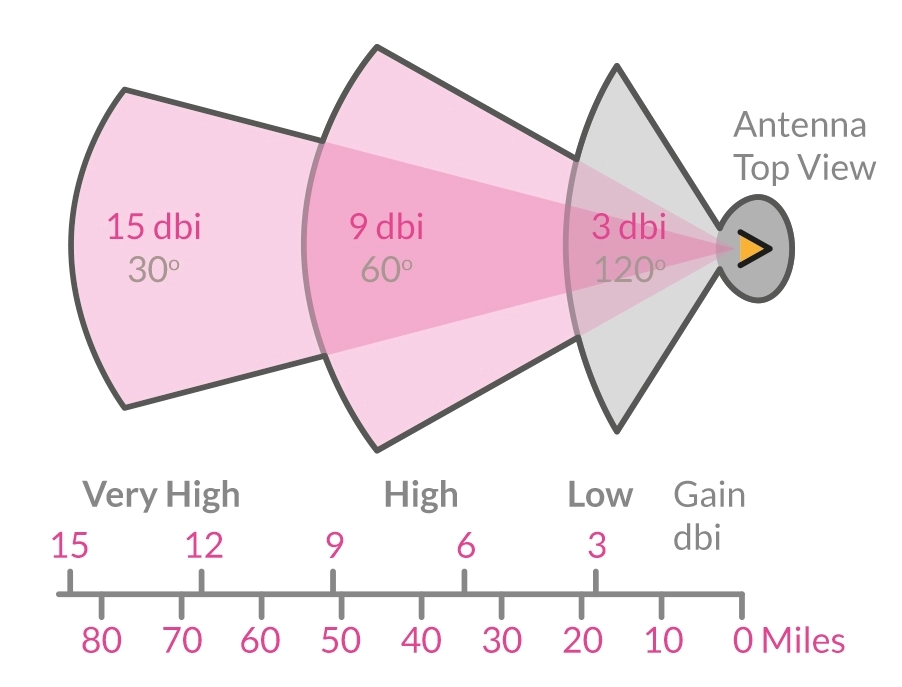
- كسب الهوائي: تعمل الهوائيات الخارجية على تضخيم الإشارة، مما يضمن تغطية أفضل وسرعات أعلى، خاصة في المناطق ذات الاستقبال الخلوي الضعيف.
التطبيقات وحالات الاستخدام
-
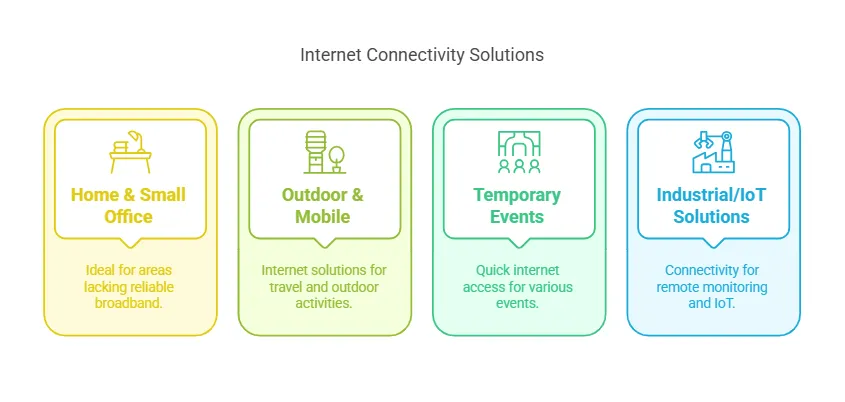
المنزل والمكتب الصغير:
- مثالي للمناطق التي لا يتوفر فيها النطاق العريض التقليدي أو يكون غير موثوق به.
- سهل الإعداد ويوفر إنترنت عالي السرعة للعمل عن بعد أو البث المباشر.
-
البيئات الخارجية والمتنقلة:
- مركبات RV والقوارب: ابقَ متصلاً أثناء السفر أو على الماء.
- مواقع التخييم والبناء: إنترنت موثوق به في المواقع النائية أو المؤقتة.
-
الفعاليات المؤقتة:
- المعارض التجارية والمتاجر المؤقتة: وصول سريع وسهل للإنترنت للبائعين والحضور.
- الفعاليات الخارجية: توفير WiFi للضيوف أو الموظفين في المناطق التي لا تتوفر فيها خدمة النطاق العريض الثابتة.
-
حلول صناعية / IoT:
- المراقبة عن بعد: توصيل كاميرات المراقبة أو أجهزة الاستشعار في المواقع النائية.
- اتصال من جهاز إلى جهاز (M2M): تمكين أجهزة IoT من التواصل عبر شبكة خلوية.
بيئة العمل ومتطلبات التثبيت
-
تركيب SIM Card والهوائي:
- أدخل SIM Card في الفتحة المخصصة.
- وصل الهوائي الخارجي بمنافذ الهوائي في الراوتر.
- ضع الهوائي لاستقبال إشارة أمثل (على سبيل المثال، بالقرب من نافذة أو على سطح المنزل).
- شغّل الراوتر وقم بتكوين إعدادات WiFi عبر لوحة الإدارة.
-
العوامل البيئية:
- درجة الحرارة والرطوبة: تأكد من وضع الراوتر في منطقة جيدة التهوية لمنع ارتفاع درجة الحرارة.
- الموقع: تجنب وضع الراوتر بالقرب من الأجسام المعدنية أو الجدران السميكة التي قد تتداخل مع الإشارة.
- تداخل الإشارة: قلل التداخل من الأجهزة الإلكترونية أو الشبكات الأخرى.
أدلة الاستخدام والتكوين
ما هي إدارة الراوتر؟
تتضمن إدارة الراوتر إعداد وإدارةراوتر 4G WiFiلضمان الأداء والأمان الأمثل. يشمل ذلك تهيئة اسم شبكة WiFi (SSID) وكلمات المرور وبروتوكولات الأمان.
-
إعداد خطوة بخطوة:
- ادخل إلى لوحة تحكم الراوتر عبر متصفح الويب (مثل 192.168.1.1).
- عيّن اسم WiFi فريدًا (SSID) وكلمة مرور قوية.
- فعّل بروتوكولات أمان WPA3 أو WPA2 لتعزيز الحماية.
- أنشئ شبكة ضيف للزوار للحفاظ على أمان شبكتك الرئيسية.
لماذا تعد الإعدادات المتقدمة مهمة؟
تتيح لك الإعدادات المتقدمة تخصيص الراوتر الخاص بك لتلبية احتياجات محددة، مثل تحسين الأمان أو تحسين الأداء.
-
ميزات رئيسية للتهيئة:
- جدار الحماية: حجب الوصول غير المصرح به إلى شبكتك.
- VPN: تأمين حركة مرور الإنترنت الخاصة بك باستخدام شبكة افتراضية خاصة.
- إعادة توجيه المنافذ: تمكين تطبيقات أو أجهزة محددة لتجاوز جدار الحماية.
- QoS (جودة الخدمة): إعطاء الأولوية لعرض النطاق الترددي للمهام الهامة مثل مكالمات الفيديو أو البث المباشر.
- الإدارة عن بعد: الوصول إلى الراوتر الخاص بك والتحكم فيه من أي مكان.
كيفية توصيل أجهزة متعددة؟
أراوتر 4G WiFiيمكن أن يدعم أجهزة متعددة، لكن التهيئة الصحيحة تضمن أداءً سلسًا.
-
أفضل الممارسات:
- قلل عدد الأجهزة المتصلة لتجنب إثقال الراوتر.
- استخدم WiFi ثنائي النطاق (2.4 GHz و 5 GHz) لتوزيع حركة المرور بكفاءة.
- عيّن عناوين IP ثابتة للأجهزة الهامة مثل مراكز المنزل الذكي.
استكشاف الأخطاء الشائعة والأسئلة المتكررة
لماذا لا يوجد إشارة أو تعرف على SIM Card؟
يمكن أن تحدث إشارة ضعيفة أو معدومة بسبب وضع الهوائي غير الصحيح، أو إعدادات APN الخاطئة، أو مشاكل الشبكة.
-
كيفية إصلاح مشاكل الإشارة:
- أعد توجيه الهوائي الخارجي لاستقبال أفضل.
- تحقق من إعدادات APN التي يوفرها المشغل وقم بتحديثها.
- تأكد من إدخال بطاقة SIM بشكل صحيح وتفعيلها.
كيفية تحسين أداء الراوتر؟
يتطلب تحسين السرعة والتغطية مزيجًا من التعديلات على الأجهزة والبرامج.
-
نصائح لأداء أفضل:
- حدّث برنامج الراوتر الثابت (البرمجيات الثابتة) إلى أحدث إصدار.
- اختر خطة بيانات بعرض نطاق ترددي كافٍ لاحتياجاتك.
- ضع الراوتر في مكان مركزي، بعيدًا عن العوائق.
ماذا تعني أضواء المؤشرات؟
توفر أضواء LED على الراوتر رؤى سريعة حول حالته.
-
مؤشرات شائعة:
- الطاقة: ضوء ثابت يعني أن الراوتر قيد التشغيل؛ وميض يشير إلى بدء التشغيل.
- قوة الإشارة: زيادة عدد الأشرطة تعني استقبالاً أفضل.
- WiFi: ضوء ثابت يشير إلى أن WiFi نشط؛ وميض يدل على إرسال البيانات.
اختبار المنتج وتقييم الأداء
كيف تختلف سرعة الشبكة حسب مزود الخدمة؟
تعتمد سرعة الشبكة على تغطية المشغل وقدرات الراوتر.
-
اختبار السرعة خطوة بخطوة:
- أدخل بطاقات SIM من مشغلين مختلفين في الراوتر.
- استخدم أداة اختبار السرعة (مثل Ookla) لقياس سرعات التحميل/التنزيل.
- قارن النتائج لتحديد أفضل مشغل لموقعك.
لماذا نستخدم الهوائيات الخارجية؟
تعمل الهوائيات الخارجية على تحسين قوة الإشارة واستقرارها بشكل كبير مقارنة بالهوائيات الداخلية.
-
فوائد الهوائيات الخارجية:
- كسب أعلى لاستقبال أفضل في مناطق الإشارة الضعيفة.
- يمكن للهوائيات الاتجاهية تركيز الإشارات لتغطية بعيدة المدى.
كيف يُقارن هذا الراوتر بالمنافسين؟
يساعدك تقييم النماذج المختلفة على اختيار أفضل راوتر لاحتياجاتك.
-
عوامل المقارنة:
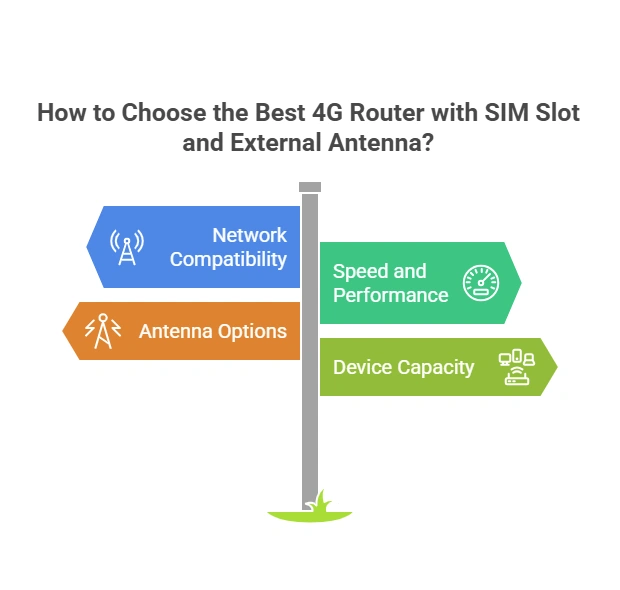
- التغطية: تحقق من نطاقات التردد المدعومة (مثل نطاقات LTE 1, 3, 7).
- الإنتاجية: ابحث عن أجهزة راوتر بتقنية MIMO لسرعات أعلى.
- السعر: وازن بين الميزات وميزانيتك.
اعتبارات السلامة والجودة
لماذا يعتبر أمان البيانات أمرًا حاسمًا؟
الراوترات عرضة للاختراق، مما يجعل الإجراءات الأمنية ضرورية.
-
كيفية تأمين الراوتر الخاص بك:
- قم بتحديث كلمات المرور والبرمجيات الثابتة بانتظام.
- عطّل الإدارة عن بُعد إذا لم تكن هناك حاجة إليها.
- استخدم تشفيرًا قويًا (WPA3 أو WPA2) لشبكة WiFi الخاصة بك.
هل يفي الراوتر بالمعايير التنظيمية؟
تأكد من امتثال الراوتر الخاص بك للوائح المحلية لتجنب المشاكل القانونية.
-
مجالات الامتثال الرئيسية:
- انبعاثات التردد اللاسلكي ضمن الحدود المسموح بها.
- شهادة من الهيئات التنظيمية (مثل FCC, CE).
هل يمكنك تمكين ميزات حماية الأطفال؟
تساعد أدوات الرقابة الأبوية في إدارة استخدام الأطفال للإنترنت.
-
كيفية إعداد أدوات الرقابة الأبوية:
- ادخل إلى لوحة تحكم الراوتر.
- فعّل تصفية المواقع وقيود الوقت.
- راقب الأجهزة المتصلة واستخدامها.
الصيانة والعناية
كيف تنظف وتخزن الراوتر الخاص بك؟
الصيانة الصحيحة تطيل عمر الراوتر والهوائي الخاص بك.
-
نصائح للتنظيف:
- استخدم قطعة قماش ناعمة وجافة لإزالة الغبار.
- تجنب منظفات السوائل لمنع التلف.
-
إرشادات التخزين:
- خزنه في مكان بارد وجاف بعيدًا عن أشعة الشمس المباشرة.
- أزل بطاقة SIM إذا لم يتم استخدام الراوتر لفترة طويلة.
لماذا تعد تحديثات البرامج الثابتة مهمة؟
تعمل تحديثات البرامج الثابتة على تحسين الأداء وإصلاح الثغرات الأمنية.
-
كيفية تحديث البرامج الثابتة:
- تحقق من موقع الشركة المصنعة للحصول على أحدث إصدار من البرامج الثابتة.
- قم بتنزيل التحديث وتثبيته عبر لوحة تحكم الراوتر.
- أعد تشغيل الراوتر لتطبيق التغييرات.
ماذا تفعل أثناء عدم النشاط طويل الأمد؟
التخزين الصحيح يمنع التلف عندما لا يكون الراوتر قيد الاستخدام.
-
نصائح للتخزين طويل الأمد:
- أزل بطاقة SIM لمنع التآكل.
- خزّن الراوتر والهوائي في عبوتهما الأصلية.
- شغّل الراوتر بشكل دوري للتأكد من بقائه وظيفيًا.


ماذا يمكننا أن نفعل لك؟