
Fixed wireless terminal 4g
Follow me 4g fwt with LCR
Follow me 4g fwt with LCR use Quectel EC200U serials module, support 4G and GSM network, not support 3G WCDM so need to change to other module if your network need 3G freqeuncy.
- Follow me 4g fwt with LCR support one sim card and one PSTN number, it can transfer incoming calling from PSTN line to sim card or incoming calling from sim card to PSTN line also. Correspondingly, it can transfer outgoing calling from PSTN line to sim card or outgoing calling from sim card to PSTN line in the same way.
- Incoming call from PSTN line can be transferred to set number from sim card, or call any other numbers from sim card. Work flow like this, when PSTN line incoming call connected it’ll transfer the call to sim card, sim card will call the set number out and the Caller ID for set number is the sim card’s number. That means after setting finish, you won’t miss to pick up any calls from PSTN line wherever you are, and you know that the calls are from PSTN line.
- Outgoing call from sim card can be transferred to set number from PSTN line, or call any other numbers from PSTN line. Work flow like this, you call the sim card number, when sim card connected it’ll transfer the call to PSTN line, PSTN line will call the set number out and the Caller ID for set number is PSTN number. That means after setting finish, you can call any person from PSTN line to make the caller ID to show PSTN number wherever you are.
- This function make you can pick up all calls from PSTN line, and use PSTN line to call other bodys wherever you are, even you’re in foreign countries, PSTN number will follow you all time.
-
Overview
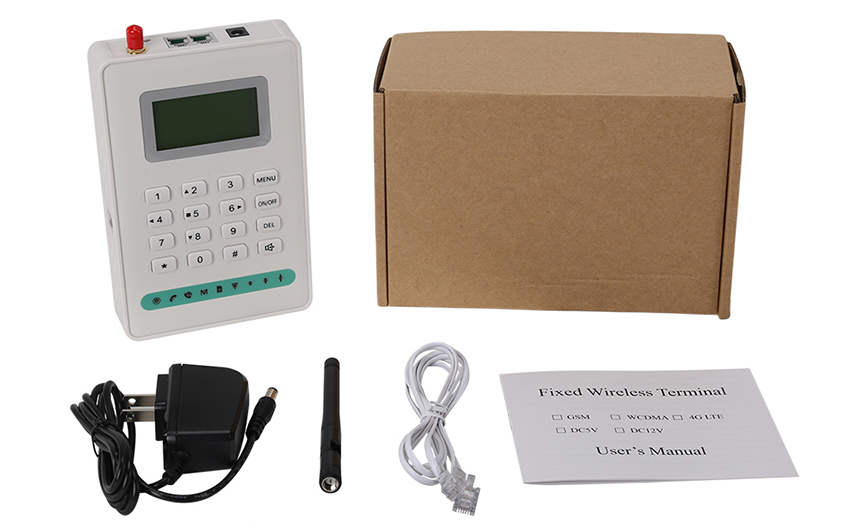
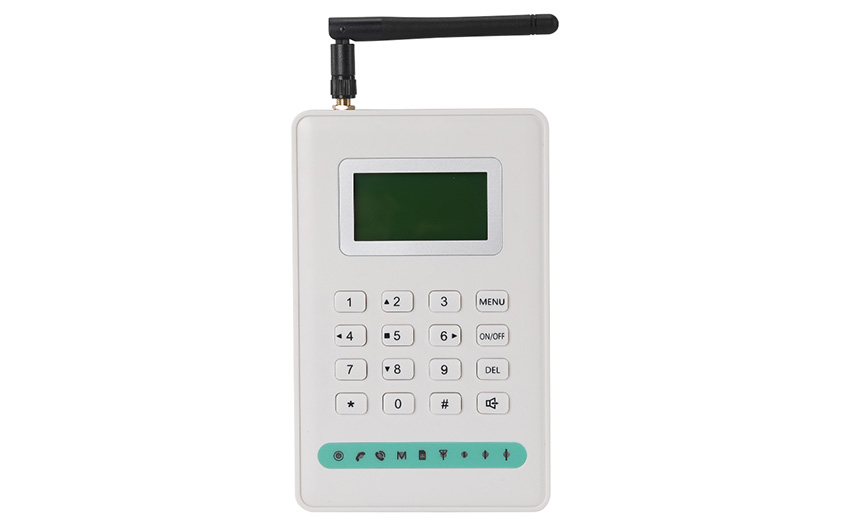
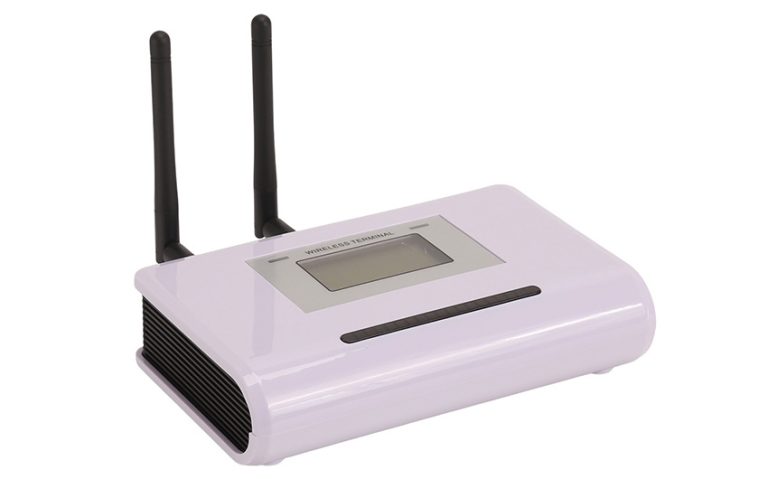
Follow me 4g fwt with LCR use Quectel EC200U serials module, support 4G and GSM network, not support 3G WCDM so need to change to other module if your network need 3G freqeuncy. With buit-in keypad so you can make dialing directly, with Speakerphone so can have conversation directly also, with headset jack so you can connect it with headset for freely using. Dot-matrix LCD with green backlight, support name displaying on the LCD if you save the number with name in the phonebook. It has one FXO port to connect PSTN line from outside, and one FXS port to connect ordinary phone so it can support LCR(low cost routing) and follow me function.
| Follow me explaination: | |
|---|---|
| Follow me 4g fwt with LCR support one sim card and one PSTN number, it can transfer incoming calling from PSTN line to sim card or incoming calling from sim card to PSTN line also. Correspondingly, it can transfer outgoing calling from PSTN line to sim card or outgoing calling from sim card to PSTN line in the same way. | |
| Incoming call from PSTN line can be transferred to set number from sim card, or call any other numbers from sim card. Work flow like this, when PSTN line incoming call connected it’ll transfer the call to sim card, sim card will call the set number out and the Caller ID for set number is the sim card’s number. That means after setting finish, you won’t miss to pick up any calls from PSTN line wherever you are, and you know that the calls are from PSTN line. | |
| Outgoing call from sim card can be transferred to set number from PSTN line, or call any other numbers from PSTN line. Work flow like this, you call the sim card number, when sim card connected it’ll transfer the call to PSTN line, PSTN line will call the set number out and the Caller ID for set number is PSTN number. That means after setting finish, you can call any person from PSTN line to make the caller ID to show PSTN number wherever you are. | |
| This function make you can pick up all calls from PSTN line, and use PSTN line to call other bodys wherever you are, even you’re in foreign countries, PSTN number will follow you all time. | |
| LCR(Low cost routing) explaination: | |
| After setting finish, outgoing calling can auto select to call out from sim card or PSTN line according to settings, normally outgoing call is from the low cost route to save the calling cost, which shortage as LCR. | |
| Main functions: | |
| It can recognizes whether PSTN line is broken or disconnectedautomatically, it’ll automatically call the number throug sim card if there is a fault for PSTN line; | |
| Support setting routing to the PSTN number, it’ll automatically recognize the number, and dial the dialed number through the PSTN line; | |
| Support setting up 32 numbers for PSTN line priority outgoing calls; | |
| Support pressing # keyto switch dialing from sim card or PSTN line, default outgoing calls from sim card or PSTN line can order make; | |
| Support incoming calls from sim card and outgoing calls from PSTN lines (support free dialing/support call outappointed numbers); | |
| Support incoming calls from PSTN lines and outgoing calls from sim card (support free dialing/support call outappointed numbers); | |
| Can send incoming numbers from PSTN line to sim card by short message; | |
| Set 32 group SOS numbers: | |
| Press HF key on the unit or you can input command from ordinary phone(must connect to PHONE socket), input *00#080#01*10085#, press HF key again when you hear du du…, 10085 is first number; You can set 32 group numbers, the unit will call the 32 numbers from first one to 32nd one until it get connect. | |
| *00#080#01*10085# | |
| *00#080#02*10086# | |
| …… | |
| *00#080#32*10099# | |
| Input *00#020#3# this command to clear the 32 group numbers. | |
| Setting commands list: | |
| *00#000# back to factory default setting | |
| *00#011#0# sim card can call in(factory default setting) | |
| *00#011#1# Forbid call to sim card | |
| *00#011#4# not display IMEI on LCD when turn on the unit (factory default setting) | |
| *00#011#5# display IMEI on unit LCD and telephone LCD which connect with the unit | |
| *00#012#0# ring first then send number(factory default setting) | |
| *00#012#1# send number first then ring | |
| *00#012#2# FSK | |
| *00#013#0# when sim card is called,call transfer to PSTN off(factory default setting) | |
| *00#013#1# when sim card is called,call transfer to PSTN on | |
| *00#013#2# when sim card is called,white list off(factory default setting) | |
| *00#013#3# when sim card is called,white list on(the numbers isn’t in white list isn’t allowed to call in) | |
| *00#013#4# when sim card is called,white list on,transfer to one fixed number off | |
| *00#013#5# when sim card is called,white list on,transfer to one fixed number on(unit will call one fixed number out automatically) | |
| *00#013#6# when sim card is called,white list off,transfer to one fixed number off(factory default setting) | |
| *00#013#7# when sim card is called,white list off,transfer to one fixed number on | |
| *00#013#8# when PSTN is called,call transfer to sim card off(factory default setting) | |
| *00#013#9# when PSTN is called,call transfer to sim card on | |
| *00#014#0# when PSTN is called,call transfer to sim card,transfer to one fixed number off(factory default setting) | |
| *00#014#1# when PSTN is called,call transfer to sim card,transfer to one fixed number on | |
| *00#014#2# transferring process forbidden number function off(factory default setting) | |
| *00#014#3# transferring process forbidden number function on | |
| *00#015#0# send incoming number by short message off(factory default setting) | |
| *00#015#1# send incoming number by short message on | |
| *00#020#0# clear 32 groups white list | |
| *00#020#1# clear 64 groups forbidden calling numbers | |
| *00#020#2# clear 32 groups routing to PSTN numbers | |
| *00#030#A*BB# volume adjust, A stands SPEAKER,BB stands MIC(A: 0~9, factory default setting A:6; BB:00~15,factory default setting BB:08) | |
| *00#035#123451234512345# set imei number | |
| *00#036#YYMMDDHHMMSS# set date and time | |
| *00#037#99# set the transfer time for PSTN line calling, when PSTN line not pick up the calling within this time the calling will be transferred to sim card automatically(00~99 seconds, set 00 to close this function) when you want to use this function you’ve to close the function from PSTN to sim card | |
| *00#038#08# set time zone, China is *00#037#08#, Australia is:*00#037#11# | |
| *00#040#AA* white list, AA:01~32, White list: the numbers can call in | |
| *00#041#01*transfer to PSTN number#, When sim card is called,white list is on,transfer to one fixed number on(the unit will auto dial the fixed number out); When sim card is called,white list is off,transfer to one fixed number on(the unit will auto dial the fixed number out) | |
| *00#041#02*transfer to sim card# When PSTN is called,transfer to sim card,transfer to one fixed number on(the unit will auto dial the fixed number out) | |
| *00#042#01*transfer to PSTN number# Routing to PSTN number setting, for example *00#042#01*137#(all the numbers started with 137 will be dialed out from PSTN), can set 32 groups numbers | |
| *00#043#AA* forbidden calling out number, AA:01~32, PSTN forbidden calling out number | |
| *00#044#IP# transfer to sim card,IP number will be auto added before the number you want to dial out IP:1~16 digits //*00#044#*# clear the IP number | |
| *00#069#0# set it as internal setting and re-start automatically after setting finish | |
| *00#069#1# set it as outside setting and re-start automatically after setting finish | |
| Short message based on TEXT formate but not Chinese | |
| Short message, formate *00#**unit call back number from sim card**unit PSTN line want to call out number## | |
| *00#**10086**10010# | |
| When PSTN is called, press RST and release, PSTN line can’t call out, and the calling will be called out from sim card | |
| Short message based on TEXT formate | |
| Short message can send maximum 8 each time, each message maximum 190 characters, each message should add , between each messages。 |
You may also like
Related products
2 fxs ports fixed wireless terminal 4g
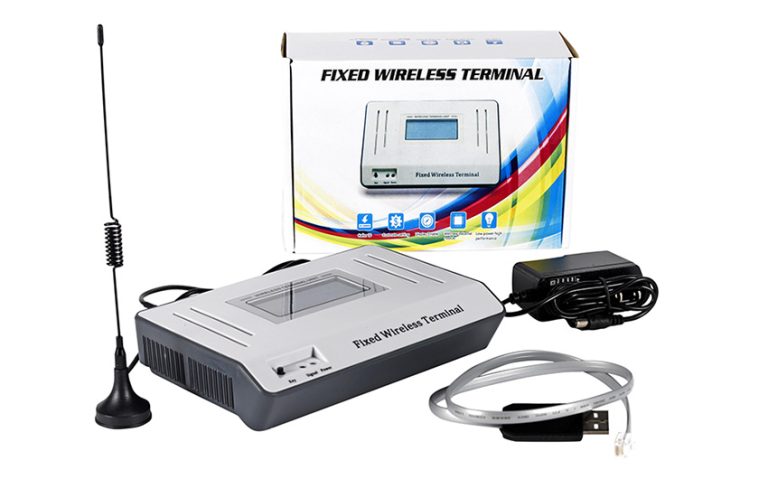
2 fxs ports fixed wireless terminal 4g often referred to FWT 4G, is designed to be installed in a fixed place or have flexibility to move within a small space.
2 RJ-11 ports Fixed Cellular Terminal 4G
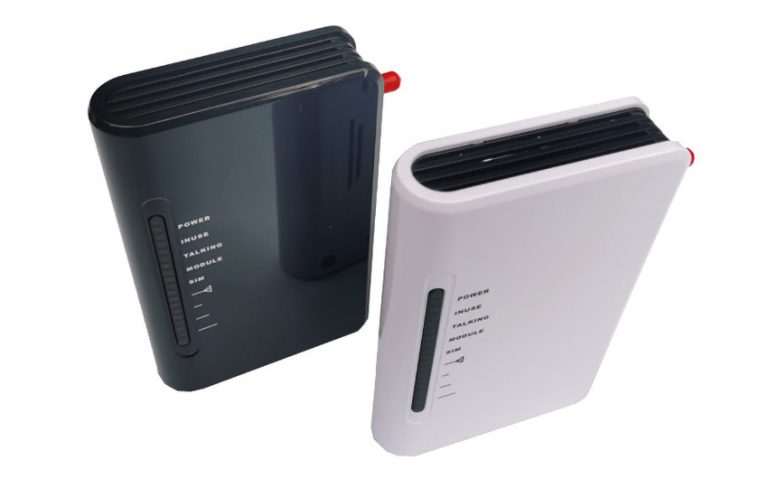
2 RJ-11 ports fixed cellular terminal 4G is a fixed wireless voice and data access device with 4G technology.
2 sim 2 standby 2 pass fwt 4g
2 sim 2 standby 2 pass fwt 4g support GSM/WCDMA/TD-LTE/FDD-LTE network, just insert standard sim card and connect it with PSTN phone then can call out or pick up calling from outside, has dual sim cards work separately, just like two units combined into one unit which can save working space and purchasing cost as 1pc can work like 2pcs, no interference each other. 2 sim 2 standby 2 pass fwt 4g use 3 meters suction cup antenna so the signal is much better, support volte, FSK and DTMF caller ID, short message, support polarity reverse so can connect with billing meter, it can connect with call center, wired telephone recording box, home alarm, telephone recording card, elevator emergency caller, voip floor-standing gateway, security system etc..
Inquire about this product
Request pricing and samples
- A wireless product specialist reviews every inquiry.
- Receive guidance on models, frequency bands, MOQ, samples and lead time.
- Your specifications and commercial information remain confidential.
Include product type, frequency bands, target quantity, branding or firmware requirements, destination market and preferred delivery date.